
New Features:
-
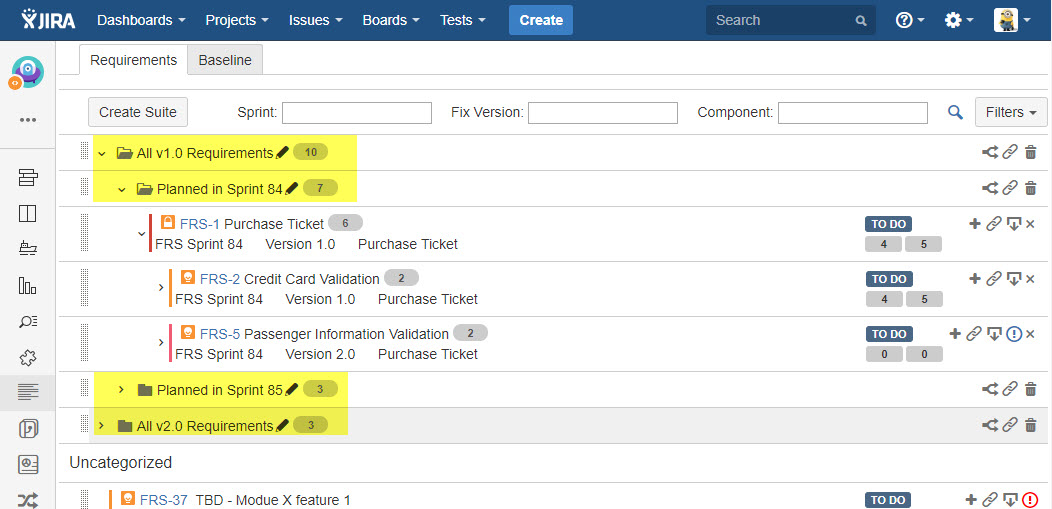
Requirement Suite is to organize requirements in a folder structure, folder structure helps user doing further grouping of requirements besides the requirement hierarchy feature which is already be available.
-
User can drag&drop requirements to change structure easily.
-
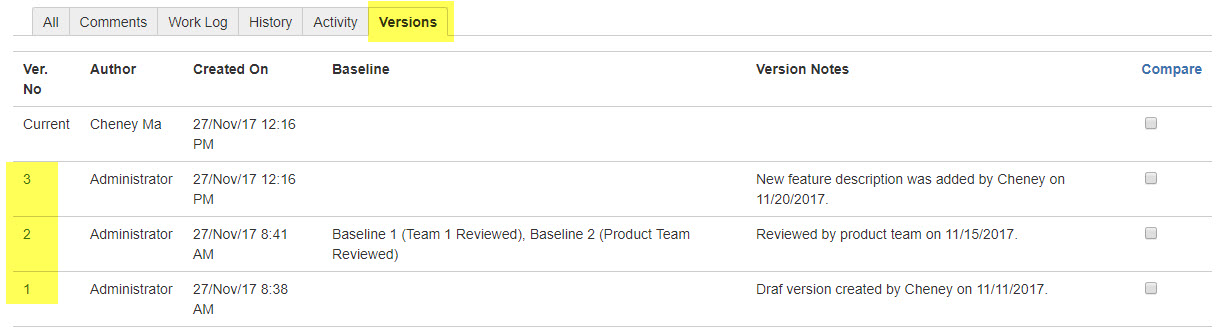
Versioning of requirement is to record the changes of requirement and label the change history with a 'version number', it helps the user to track the changes of a requirement.
-
The user can check any saved version of a requirement and also be able to compare any of two saved versions of the requirement.
-
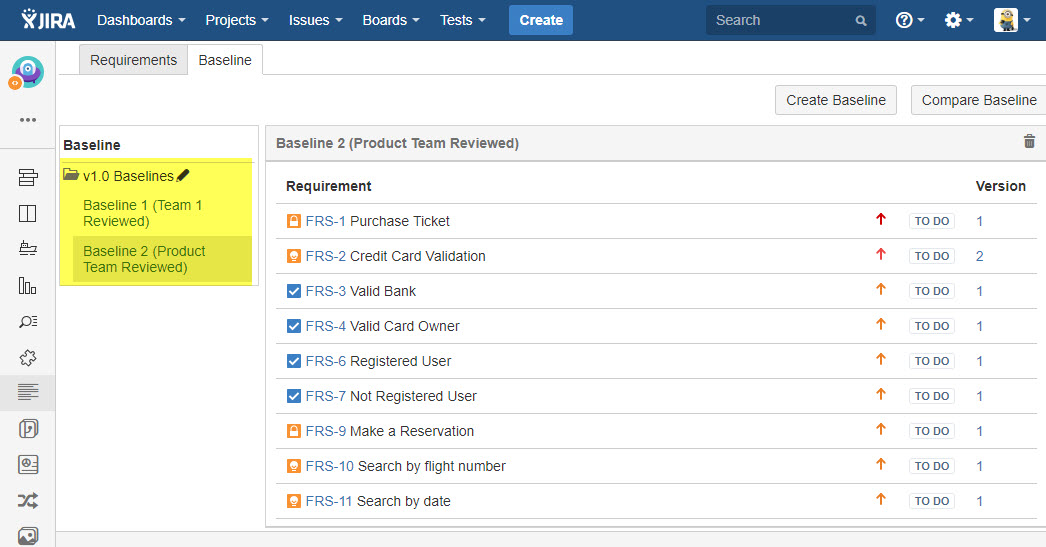
A baseline includes a set of version tagged requirement issues. Requirement baselines enable you to keep track of changes made to your project over time.
-
The user can compare two different baselines to check for important modifications, additions, and deletes for the set of requirements which are approved by stakeholders.
-
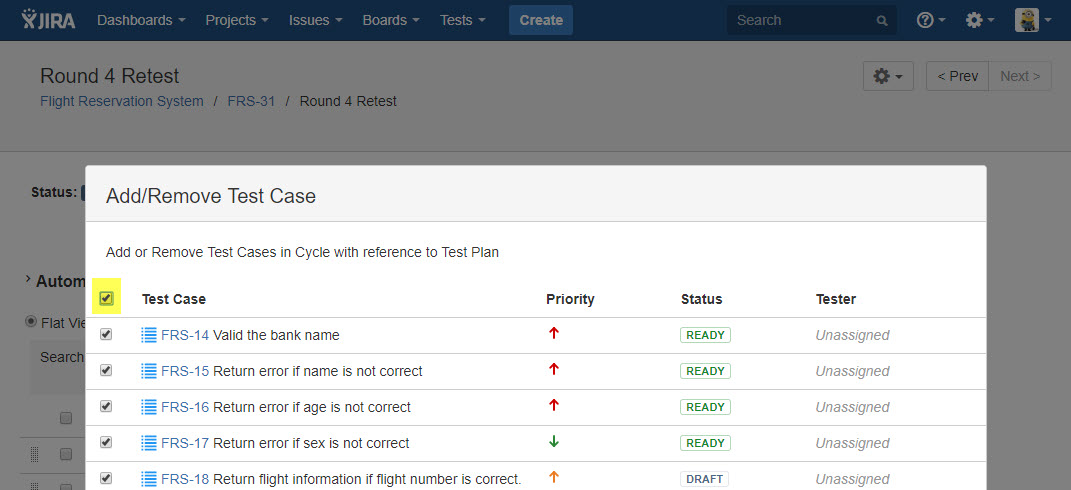
A 'Select All' checkbox is added for user to select all Test Cases when a Test Cases in a Test Cycle
Release Notes
Story/Improvement
-
SRM-7 Develop Requirement Suite
-
SRM-5 Develop baseline feature in SynapseRM
-
SRM-4 Develop versioning feature in SynapseRM
-
SYNAPSENG-2356 Move the creation of Issue types to Job
-
SYNAPSENG-688 [Test Cycle][Customer]: Add 'Select All' option in test cycle page to help user doing quick selection.
Bug Fixes:
-
SYNAPSENG-2475 [SynapaseRT Reports]: Priority name contains a '-' will case report doesn't work in report: Test Execution Based Reports
-
SYNAPSENG-2474 [SynapaseRT Reports]: User whose name contains a comma (,) cannot be correctly displayed in report: Test Execution Based Reports
-
SYNAPSENG-2468 [Customer]Configuration]: Sometimes both 'Requirements' and 'Defects' dropdown list nothing in 'Configuration' page.
-
SYNAPSENG-2362 [Customer][REST API]: 500 error occurs when create Test Case without 'testcasesteps' field from API '.../testSuite/createTestCase'
-
SYNAPSENG-2352 [Customer][Requirement]: 'Sub-Task' cannot be created even the option is selected from 'SynapseRT Clone'.
-
SYNAPSENG-2349 [SynapaseRT Reports]: 'Status' column is not rendered well in report 'Requirement Based Report / Defect Status Report'.
-
SYNAPSENG-2348 [SynapaseRT Reports]: Hyperlinks for 'Defect Issuekey' and 'Run ID' are missing in report 'Requirement Based Report / Defect Status Report'.
-
SYNAPSENG-2271 [Customer][Permission]: User without 'Browse Projects' still can access all synapseRT gadget data.
-
SYNAPSENG-2161 [Customer][Test Case]: the General result which is updated from step result is NOT considered as a valid Run Status.
-
SYNAPSENG-2107 [Integration][Test Case]: A new redundant space is created at each time after user refreshing the Test Case issue.
-
SYNAPSENG-2106 [Integration][Test Case]: A redundant space will cause automation result cannot be returned.
-
SYNAPSENG-1968 [Customer][Gadget]: Confluence macro: 'Defects' link points to wrong URL in 'Test Case Executions by Cycle'.
-
SYNAPSENG-377 [Customer][Test Run]: Navigate to "Next" test case run should work on issues those are found by "Search" instead of all test cases in the test cycle.