
-
Launch a test cycle
-
Click the "Execute" button to open the "Test Case Run" dialog
-
In the "Run Steps" section, click the "Pencil" icon from the "Result" column for any step
-
Select a result from the dropdown list
-
Click the "Update" button
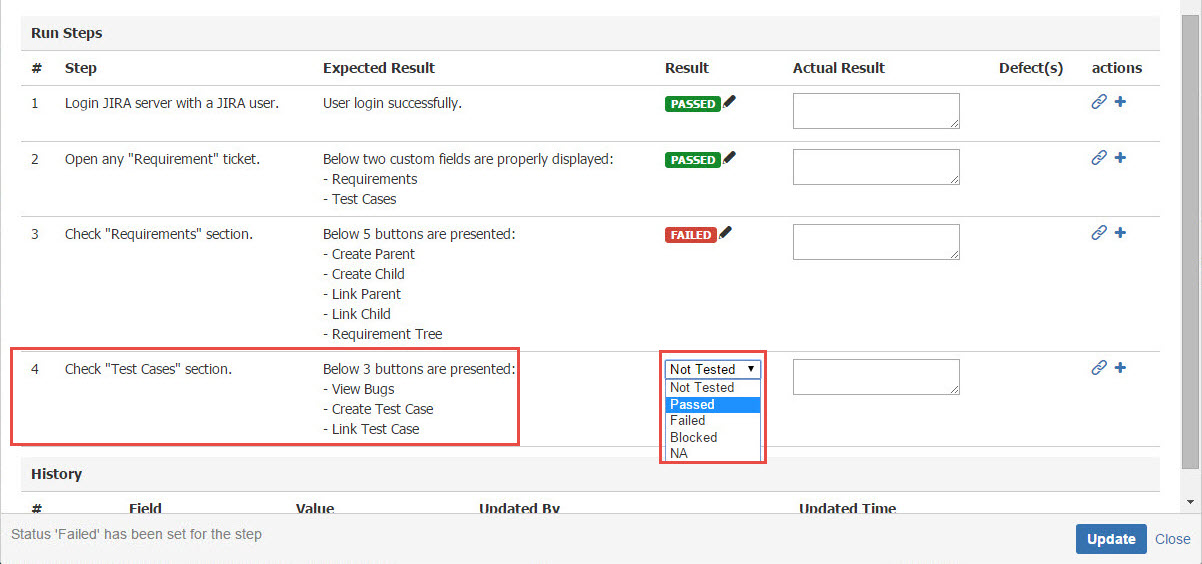
[Screenshot - UG0054_Test_Cycle_Test_Step_Result]