
As synapseRT NextGen have CI integration with Jenkins and Bamboo, you can change your Test Case type from "Manual" (default) to "Automation", to do this, following below steps:
-
Open a Test Case issue
-
Click "Gear" icon from "Test Step" panel, choose "Change to Automation" from the list
-
Specify "Plan/Job Key" which can be found from your CI tool
If Jenkins Job is located in a 'Folder', please follow the pattern '<Folder Name>/job/<Job Name>' for 'Plan/Job Key'. -
Click "Add" button
Once an Automation Test Case is configured correctly, user is able to do automation execution from Test Plan / Test Cycle
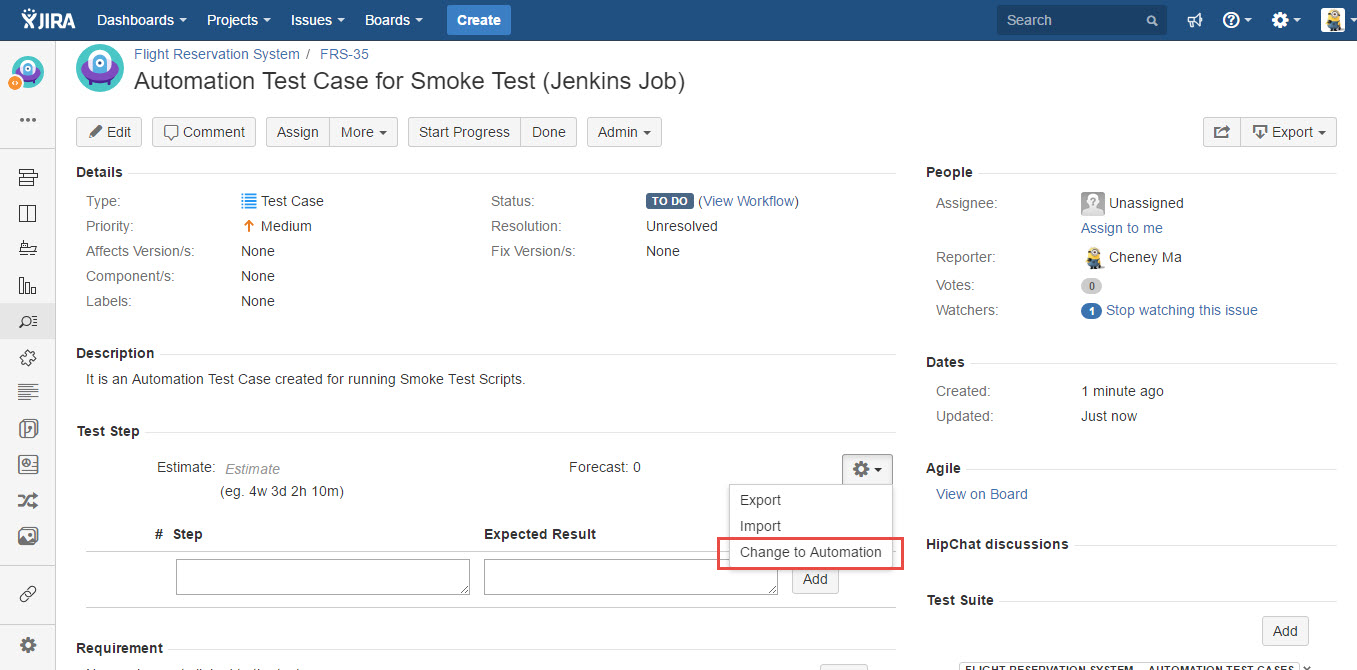
[Screenshot - UG0028_v84_Test_Case_issue_Change_to_Automation]
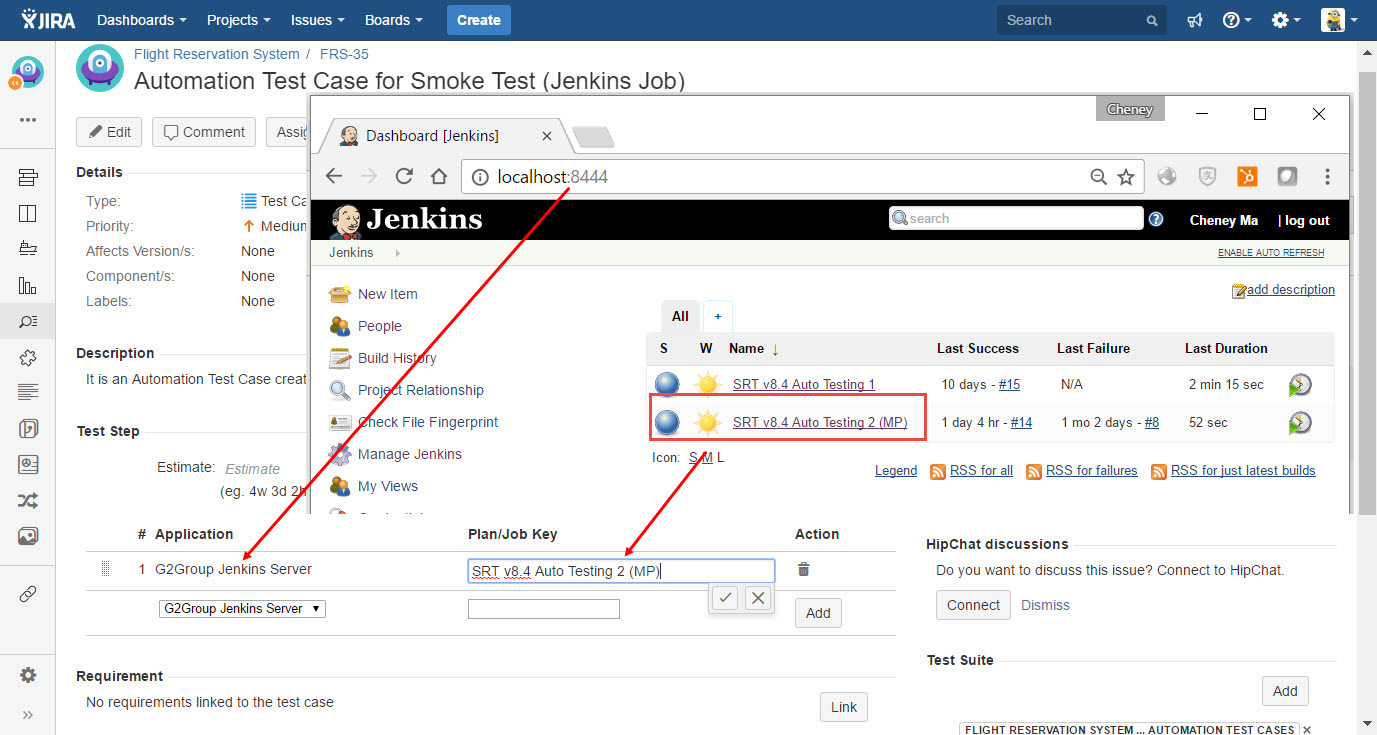
[Screenshot - UG0028_v84_Test_Case_issue_Add_Automation_Step]