
You are allowed to load the latest Test Case's updates to 'ACTIVE' Test Cycle during your test execution, it gives you more flexibility to reload last minute's Test Case update after testing is started.
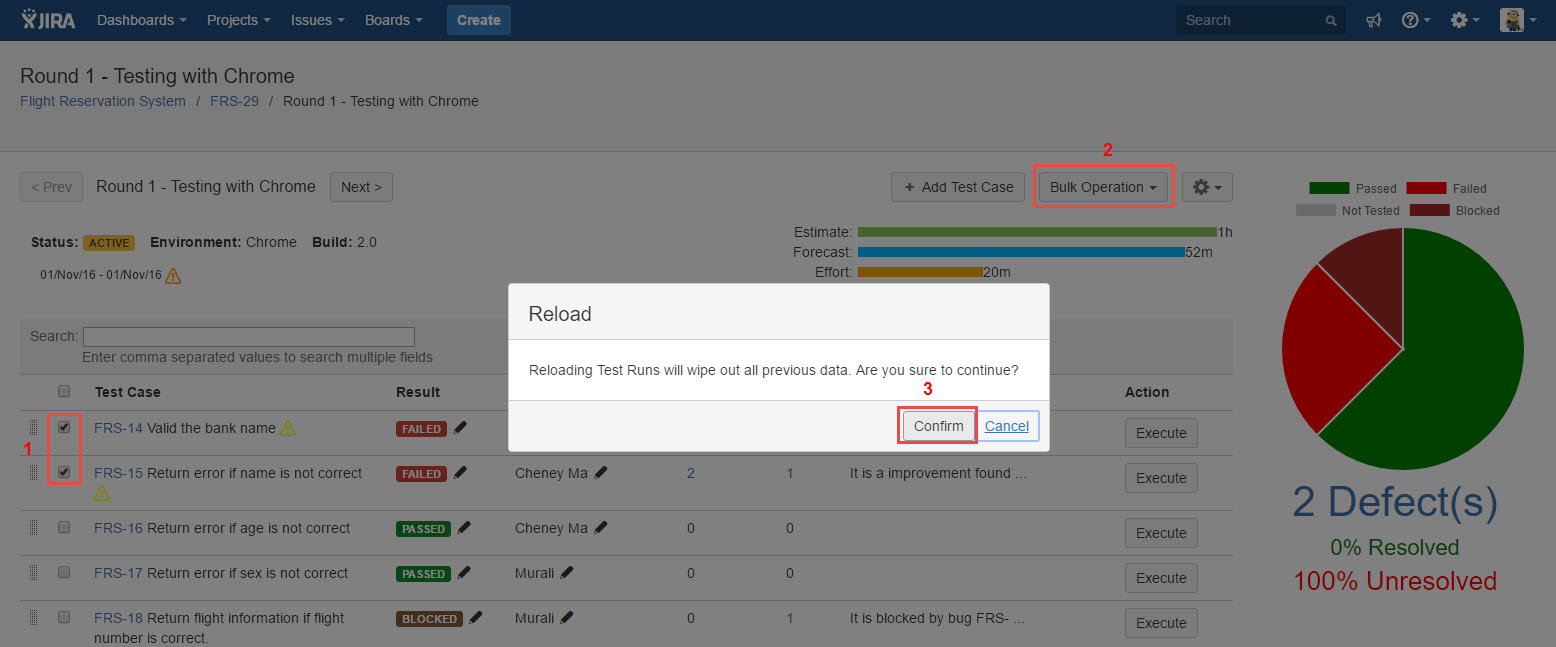
To reload Test Case/s, follow below steps:
Please note that any existing test case execution result will be removed after Test Case reload.
-
Open a Test Cycle which is in 'ACTIVE' status
-
Select Test Cases those have updates available (An icon will present if there are any updates available for that Test Case)
-
Click Bulk Operation->Reload
-
Click 'Confirm' button from 'Reload' dialog box
[Screenshot - UG84_Test_Plan_Test_Cycle_Reload_Test_Case]