
-
Open a JIRA project
-
Click 'SynapseRT Reports' from the left navigation panel
-
From the list, find 'Test Plan Execution Report'
-
Click 'Test Plan Execution Report'
-
Specify from the filter options below and click the 'Generate Report' button:
- Select a Test Plan from the 'Test Plan' dropdown list
- Choose test results from 'Test Case Result'
- Select a Tester or leave it blank
- Include Unassigned: if this option is enabled, unassigned Test Runs will also present in the report.
You can save your selections as an 'Report Configuration' to reuse it in the future.
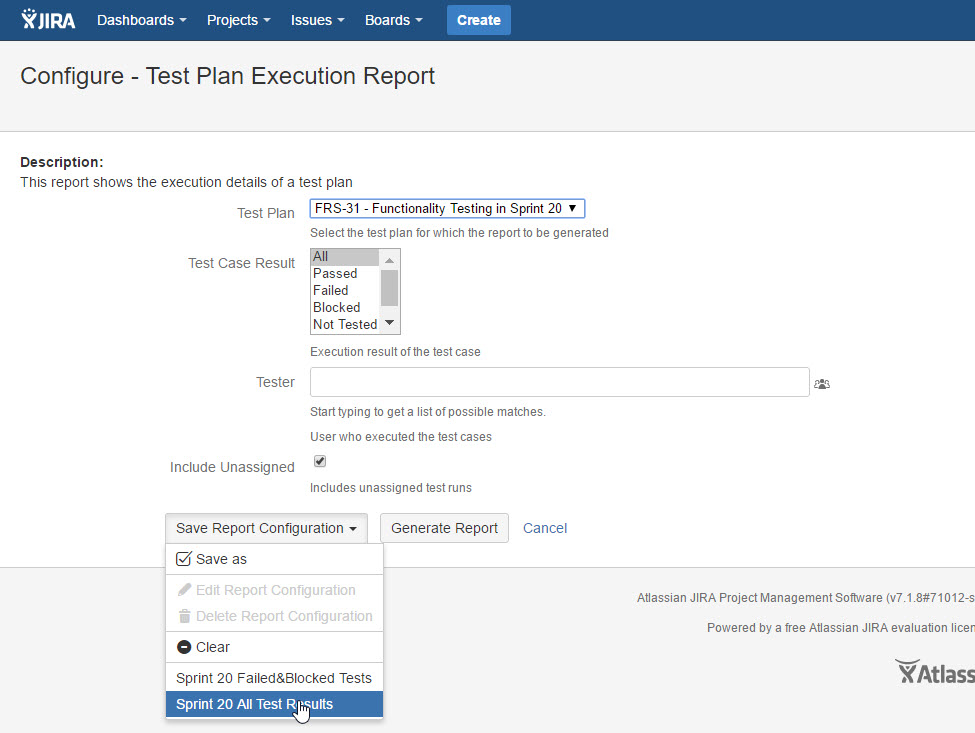
[Screenshot - UG0062_Test_Plan_Execution_Report_Configuration]
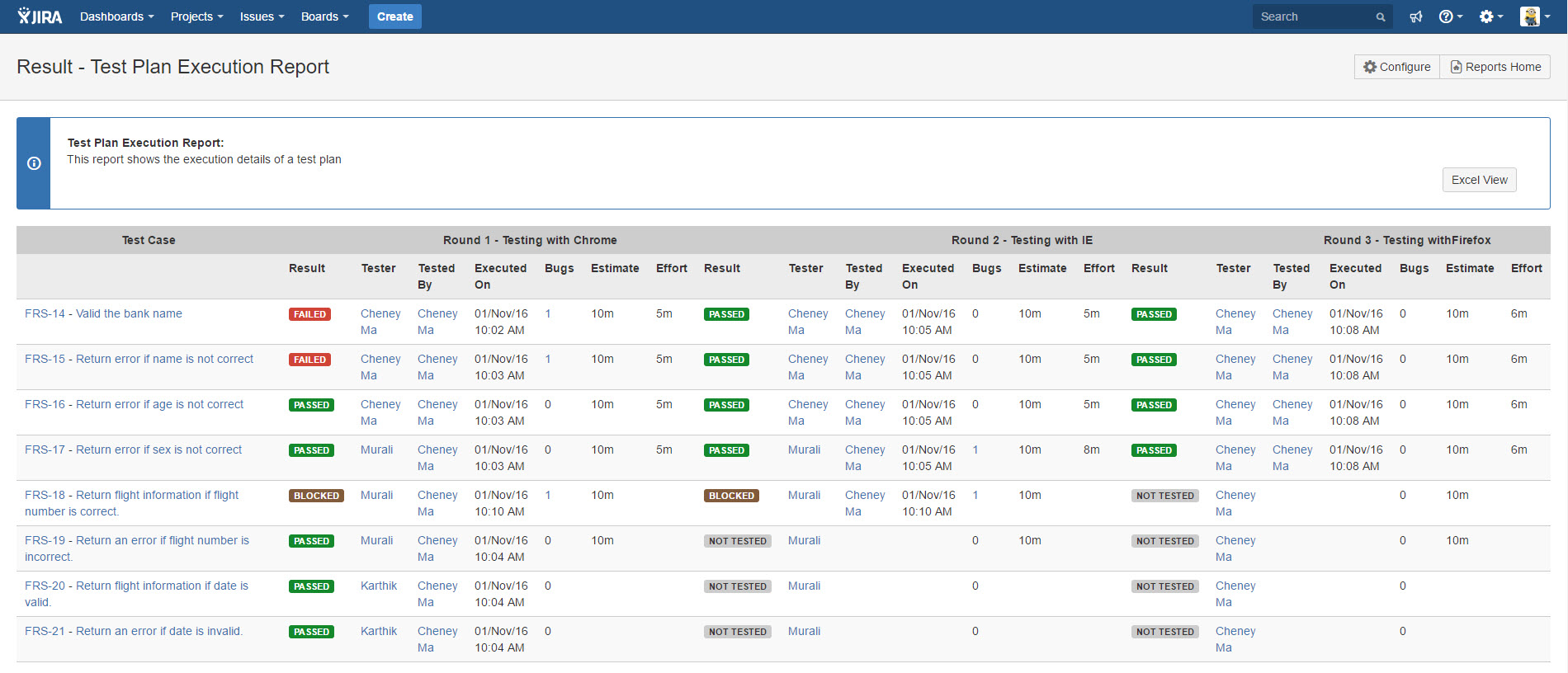
[Screenshot - UG0063_Test_Plan_Execution_Report_Result]