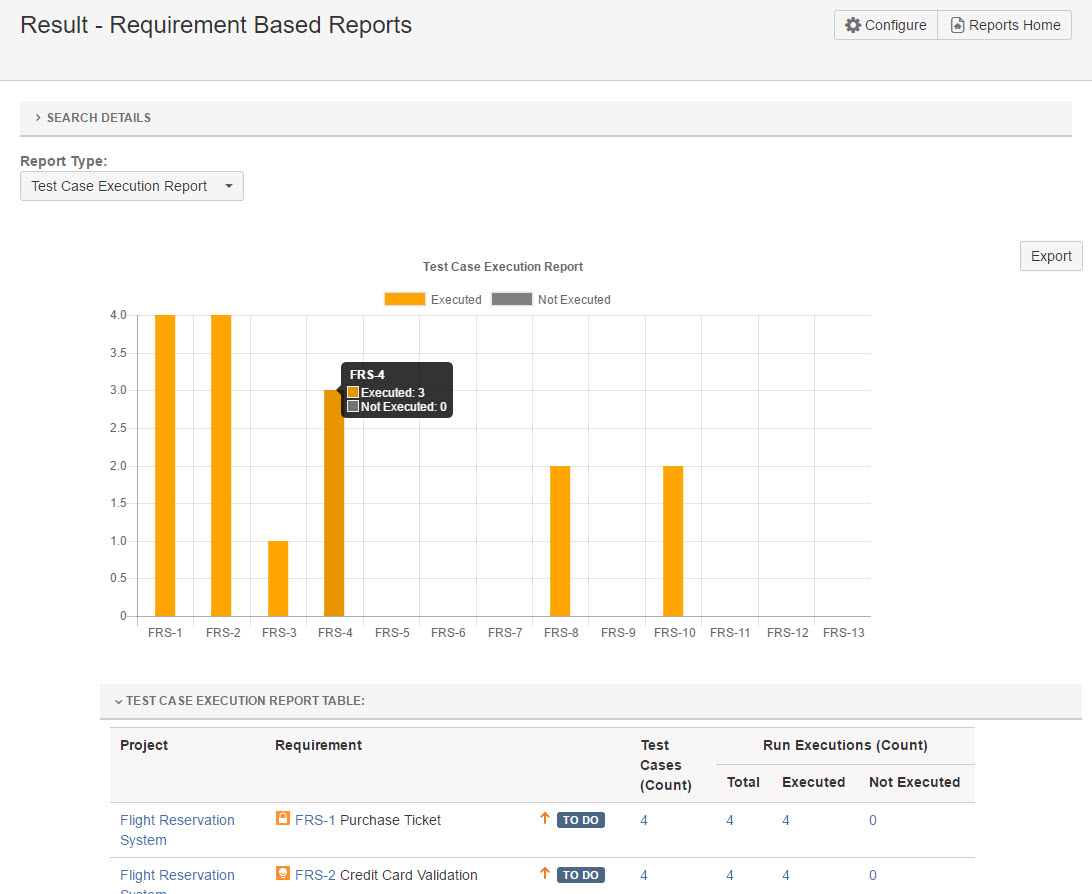
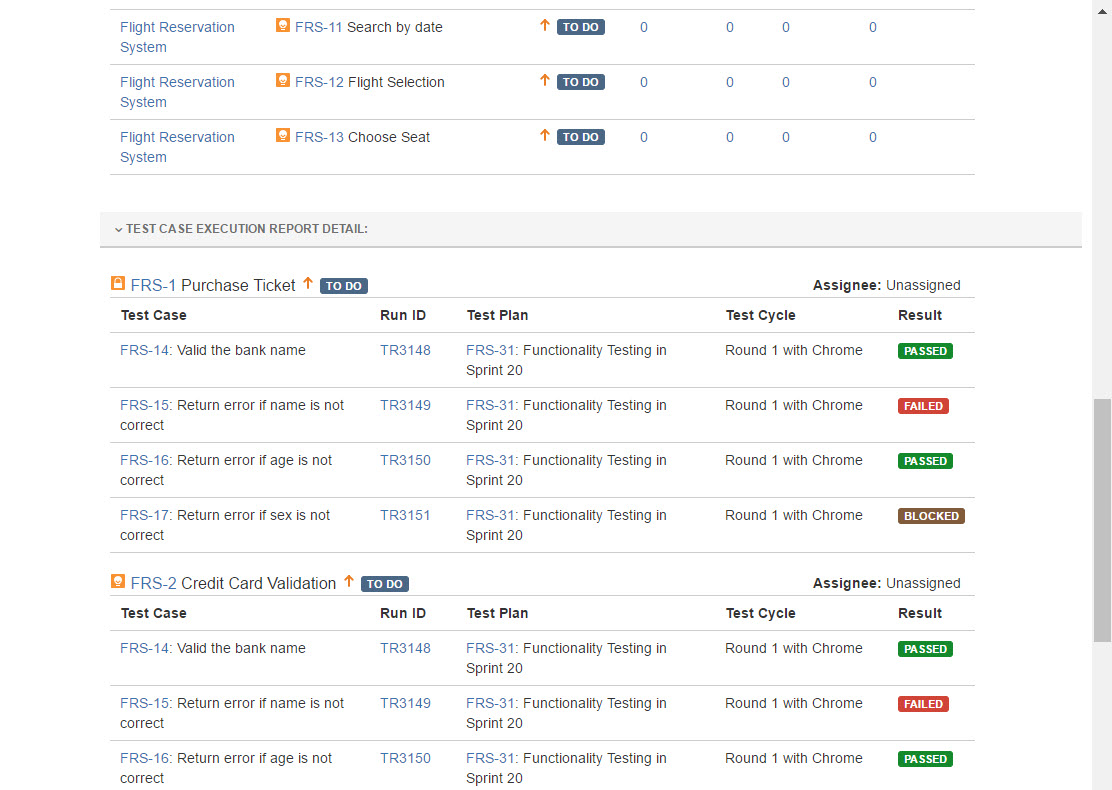
Reports can be generated based on the Requirement Vs Test Runs statistics.
Note, there are below four sub report types in the report:
-
Test Case Execution Report
-
Test Case Executon Status Report
-
Defects Report
-
Defect Status Report
These reports can be exported as .xls files for offline usage.
Please folow below steps to generate 'Requirement Based Reports':
-
Open a JIRA project
-
Click 'SynapseRT Reports' from the left navigation panel
-
From the list, find 'Test Plan Execution Report'
-
Click 'Requirement Based Reports'
-
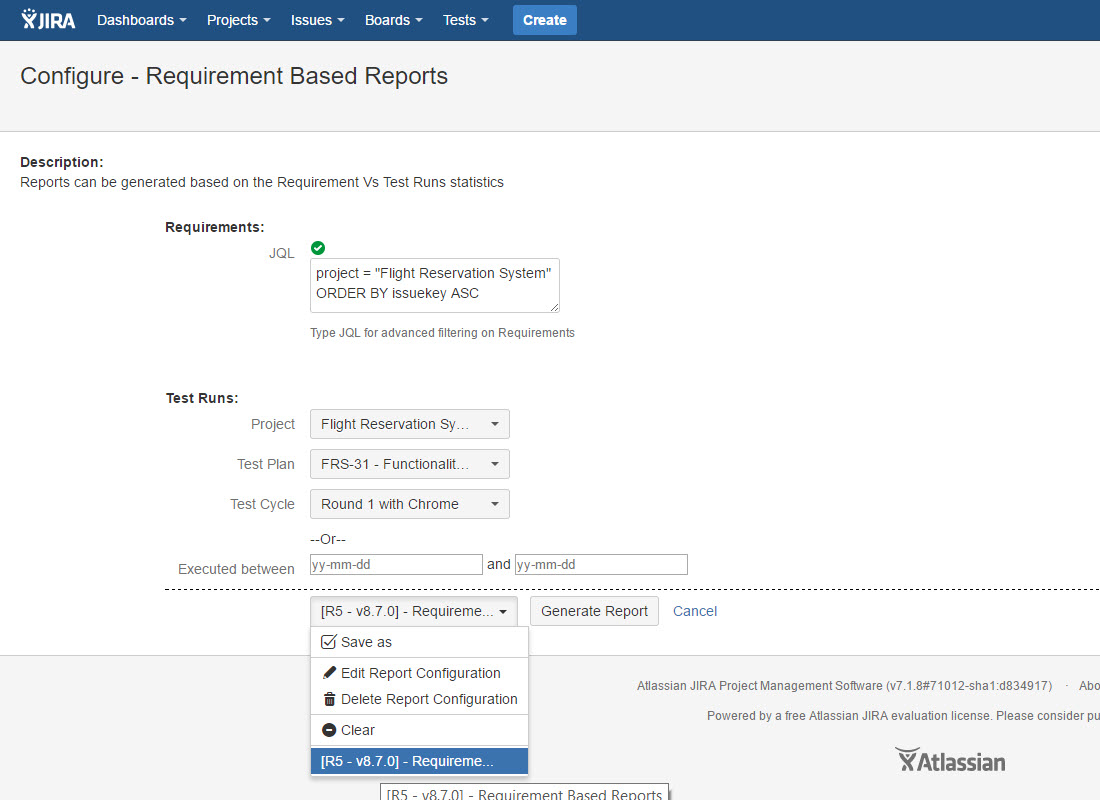
Specify from the filter options below and click the 'Generate Report' button:
- Specify JQL for advanced filtering on Requirements in 'JQL' box
- Select a JIRA project from 'Project' dropdown list
- Select a Test Plan from 'Test Plan' dropdown list
- Select a Test Cycle from 'Test Cycle' dropdown list
Or
- Specify 'Executed between' to generate a period test results for Requirements -
You can switch to other sub report types by selecting them from 'Report Type' dropdown
You can save your selections as an 'Report Configuration' to reuse it in the future.
[Screenshot - UG870_Requirement_Based_Report_Configuration]
[Screenshot - UG870_Requirement_Based_Report_Result]