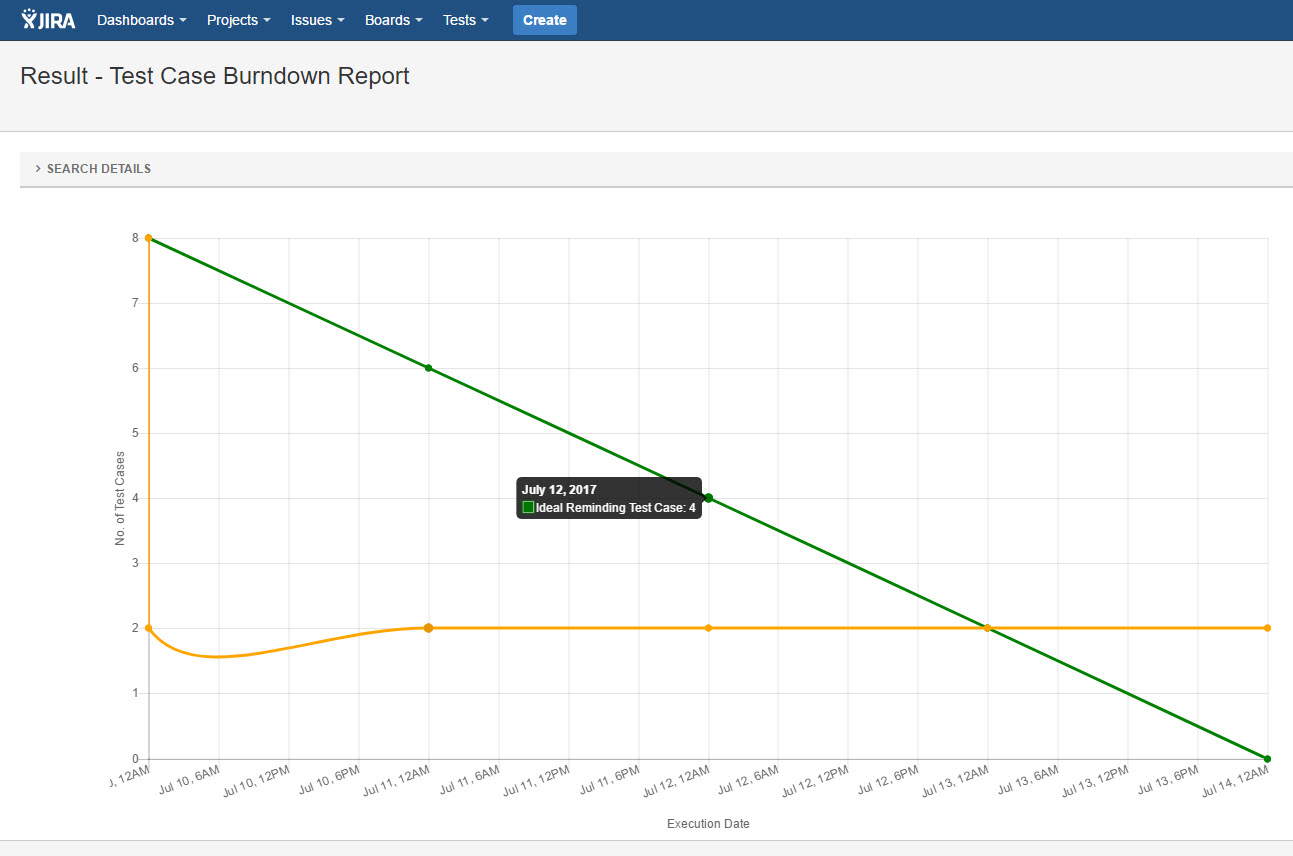
Reports can be generated on Test Case Burndown statistics.
Please folow below steps to generate "Test Case Burndown Report":
-
Open a JIRA project
-
Click "SynapseRT Reports" from the left navigation panel
-
From the list, find "Execution Date wise Report"
-
Click "Test Case Burndown Report"
-
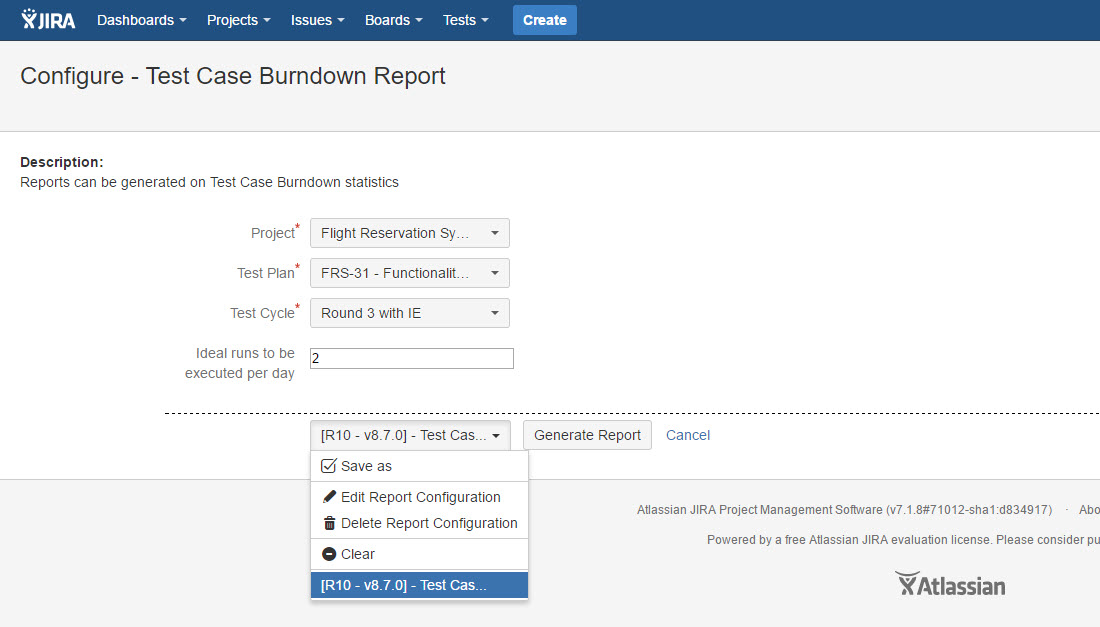
Specify from the filter options below and click the "Generate Report" button:
- Select a JIRA project from "Project" dropdown list
- Select a Test Plan from "Test Plan" dropdown list
- Select a Test Cycle from "Test Cycle" dropdown list
- Specify "Ideal runs to be executed per day" (optional)
You can save your selections as an "Report Configuration" to reuse it in the future.
[Screenshot - UG870_Test_Case_Burndown_Report_Configuration]
[Screenshot - UG870_Test_Case_Burndown_Report_Result]