
New Features:
-
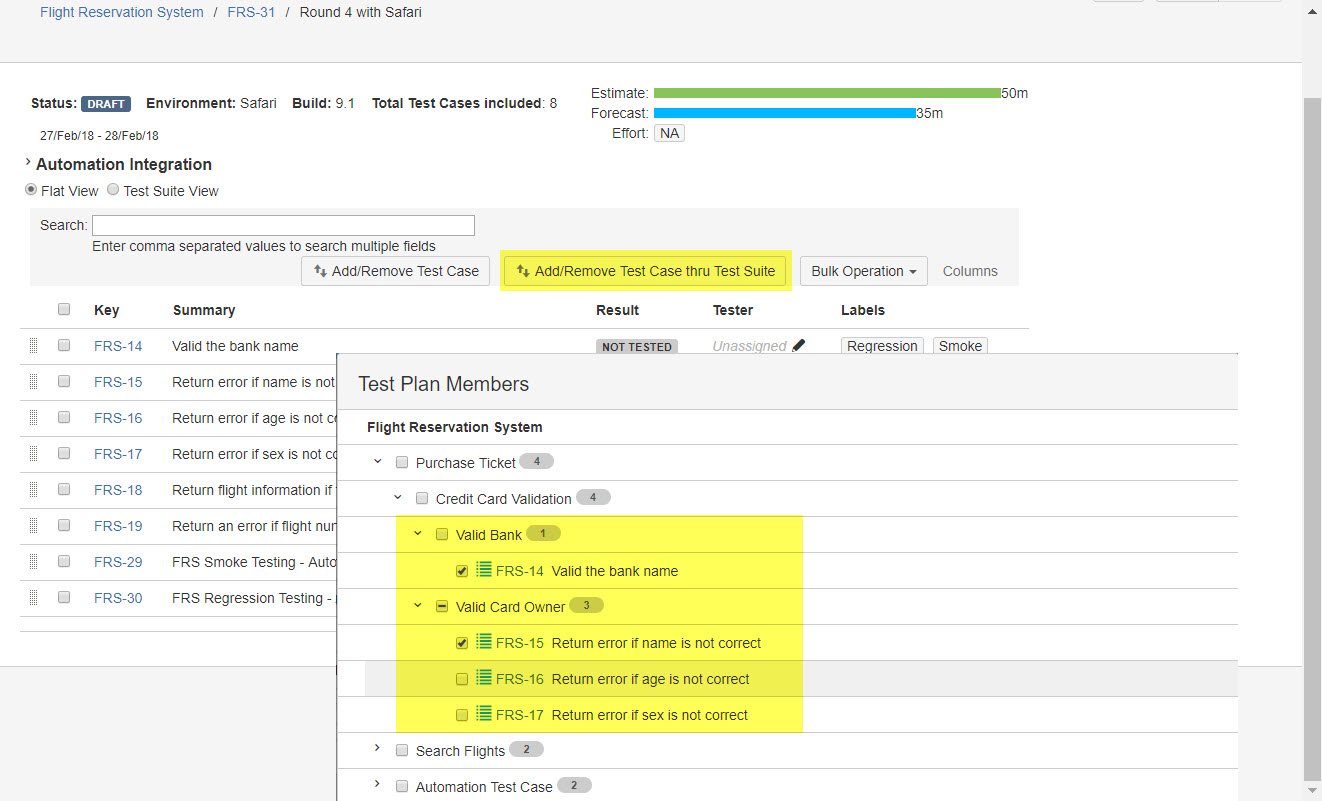
Introduced an additional view mode 'Test Suite View', let the user adjust test cases in test cycle from test suite (tree view).
-
The user now is able to select multiple items by using combination key 'Shift + Left Click', instead of clicking to select one by one.
This feature is available in below areas:
- Test cycle page
- Add/Remove Test Case dialog
- Add/Remove Test Case in the Test Suite dialog
- Edit test suite page
Release Notes
Story/Improvement
-
SYNAPSENG-2476 [Test Cycle][Customer]: Select multiple test cases by combination key "Shift + Left Click" in test cycle page.
-
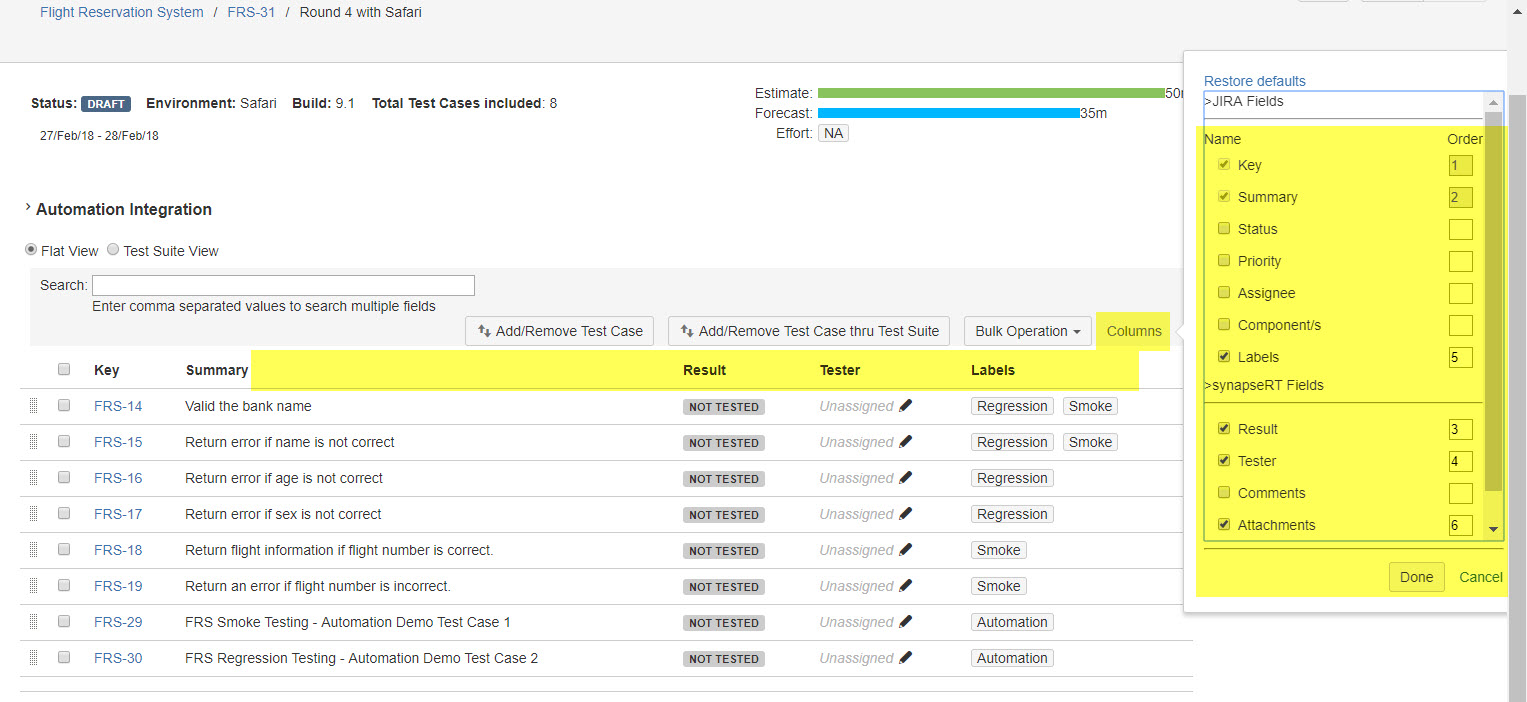
SYNAPSENG-1696 [Test Cycle][Customer]: Add 'Configure Column' function to 'Test Cycle' page.
-
SYNAPSENG-1529 [Test Cycle][Customer]: 'Add/Remove Test Case' should reuse 'Add Test Suite', so that tree structure and multi-selection are available for user.
-
SYNAPSENG-482 [Test Suite][Customer]: Select multiple test cases by combination key "Shift + Left Click" in the test suite.
Bug Fixes:
-
SYNAPSENG-2560 [Report]: UI issue in 'Test Execution Based Reports'.
-
SYNAPSENG-2531 [Customer][Test Plan]: Debug information is displayed in browser console when expanding a Test Plan with several Test Cycles.
-
SYNAPSENG-2527 [Test Run]: 'Add Hoc Test Run' dialog cannot be launched from a 'Defect' issue.
-
SYNAPSENG-2526 [Test Plan]: 'Add Test Suite' doesn’t work anymore if there are any Test Case has ever been moved from Test Case issue type to another issue type.
-
SYNAPSENG-2525 [Test Cycle]: Items are still in selected status after 'Bulk Assign' action is done.
-
SYNAPSENG-2517 [Customer][Preference]: 'Linked Issues:' value cannot show up in 'Test Run' dialog although it has been added to 'Preference' list.
-
SYNAPSENG-2504 [Test Case]: Sub Test Suite from DISABLED Test Suite are still present in 'Add Test Suite' dialog.
-
SRM-216 [Customer][REQ]: Code line '$requirement.getPriorityObject().getName()' is displayed in baseline page if 'Priority' field is NOT configured for the project.
-
SRM-213 [SRT Suite]: Update a Requirement issue will cause it to be moved to the bottom of the list.
-
SRM-211 [SRT Suite]: Requirement page issue when move a Requirement issue cross projects.
-
SRM-210 [SRT Suite]: 'Attention …' message cannot be gone if there is any Requirement issue moved from another project.