-
Click the "Edit" icon from a Root Test Suite
-
Click the "Add Test Suite" icon from any Test Suite in the tree structure
-
Specify "Name" and then click the "Tick" button
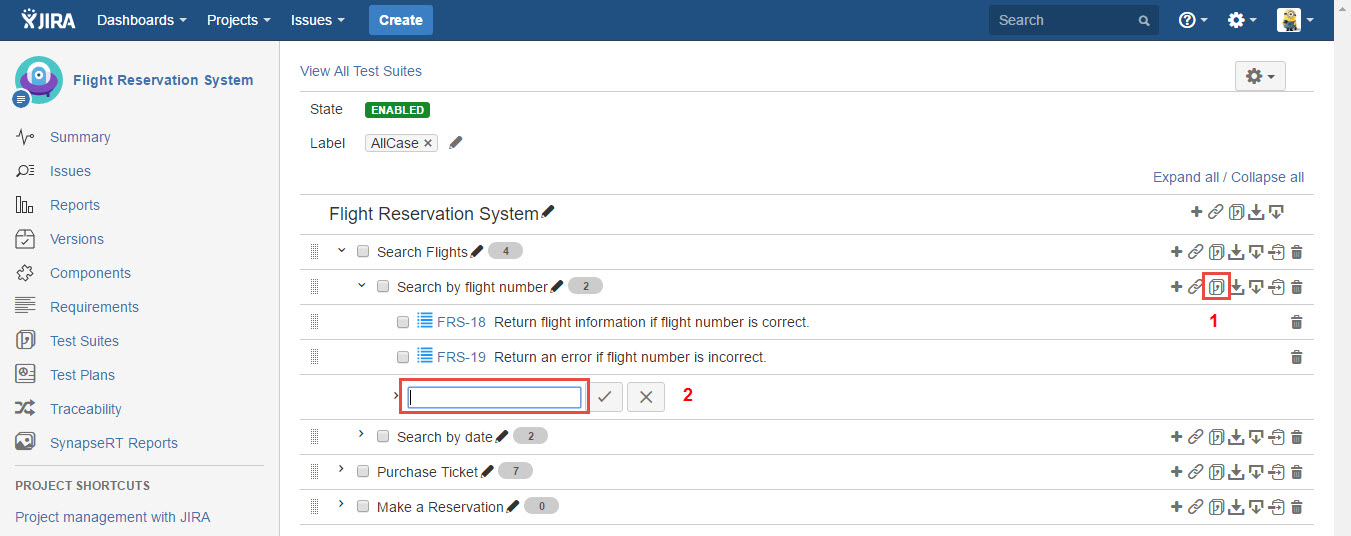
[Screenshot - UG0034_Test_Suite_Panel_Add_Sub_Test_Suite]

Click the "Edit" icon from a Root Test Suite
Click the "Add Test Suite" icon from any Test Suite in the tree structure
Specify "Name" and then click the "Tick" button
[Screenshot - UG0034_Test_Suite_Panel_Add_Sub_Test_Suite]