
The link will be established automatically once any Test Case is created from a Requirement. You need not link manually.
-
Launch a Requirement issue
-
Click the "Create Test Case" button from the Test Cases section
-
Specify the information and finish the Test Case creation process
-
The newly created Test Case will be presented in the Test Cases section
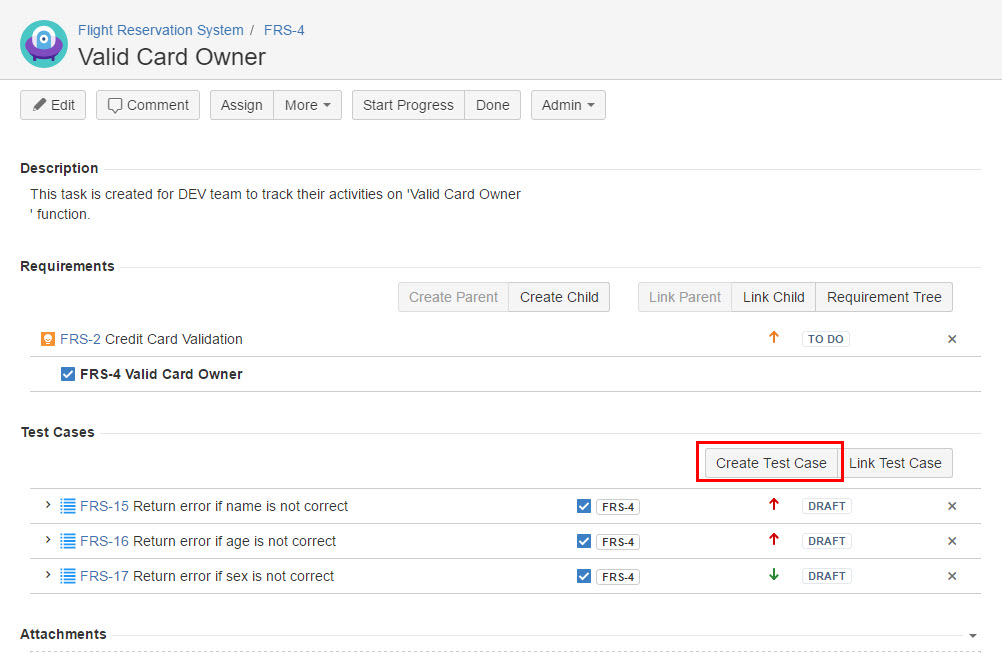
[Screenshot - UG0012_Requirement_issue_Create_Test_Case]