
-
Launch a Test Cycle
-
Click the "Execute" button to open the Test Case Run dialog
-
Click the "Create" icon
-
Fill in the necessary information in the "Create Issue" dialog and click "Save"
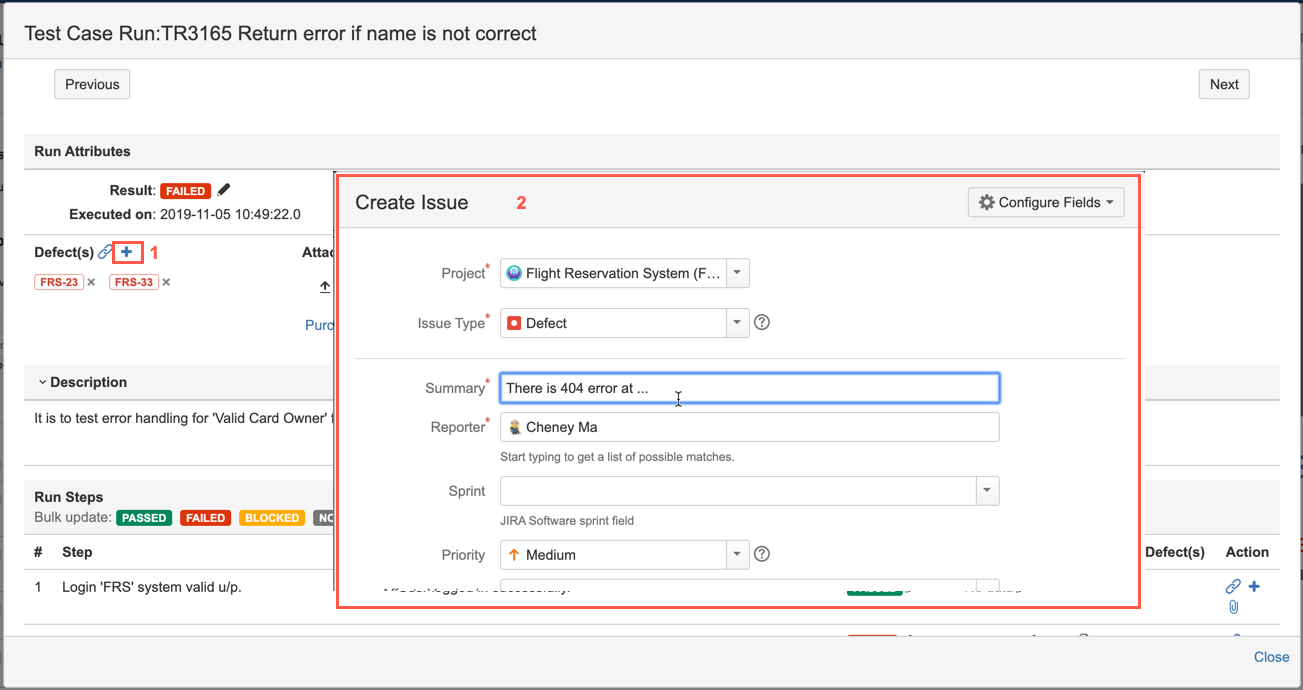
[Screenshot - UG0056_Test_Cycle_Test_Run_Result_Add]