
このレポートは要件のカバレッジを示します。
-
JIRA プロジェクトを開きます。
-
左ナビゲーション パネルから [SynapseRT レポート (SynapseRT Report)] をクリックします。
-
一覧から [要件カバレッジ レポート (Requirement Coverage Report)] を見つけます。
-
[要件カバレッジ レポート (Requirement Coverage Report)] をクリックします。
-
以下のフィルター オプションから指定します。
- [戦略 (Strategy)] ドロップダウンからオプションを選択します。
- JQL (オプション) -
[レポートの生成 (Generate Report)] ボタンをクリックします。
選択内容を "レポート設定" として保存し、後で再利用できます。
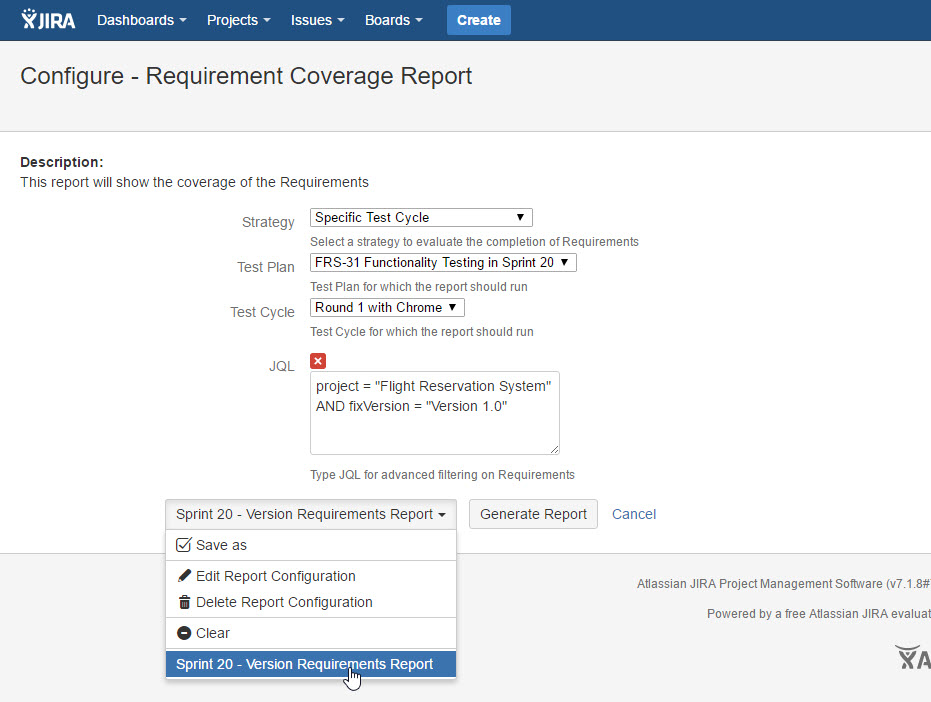
[スクリーンショット - UG0066_Requirement Coverage Report_Configuration]
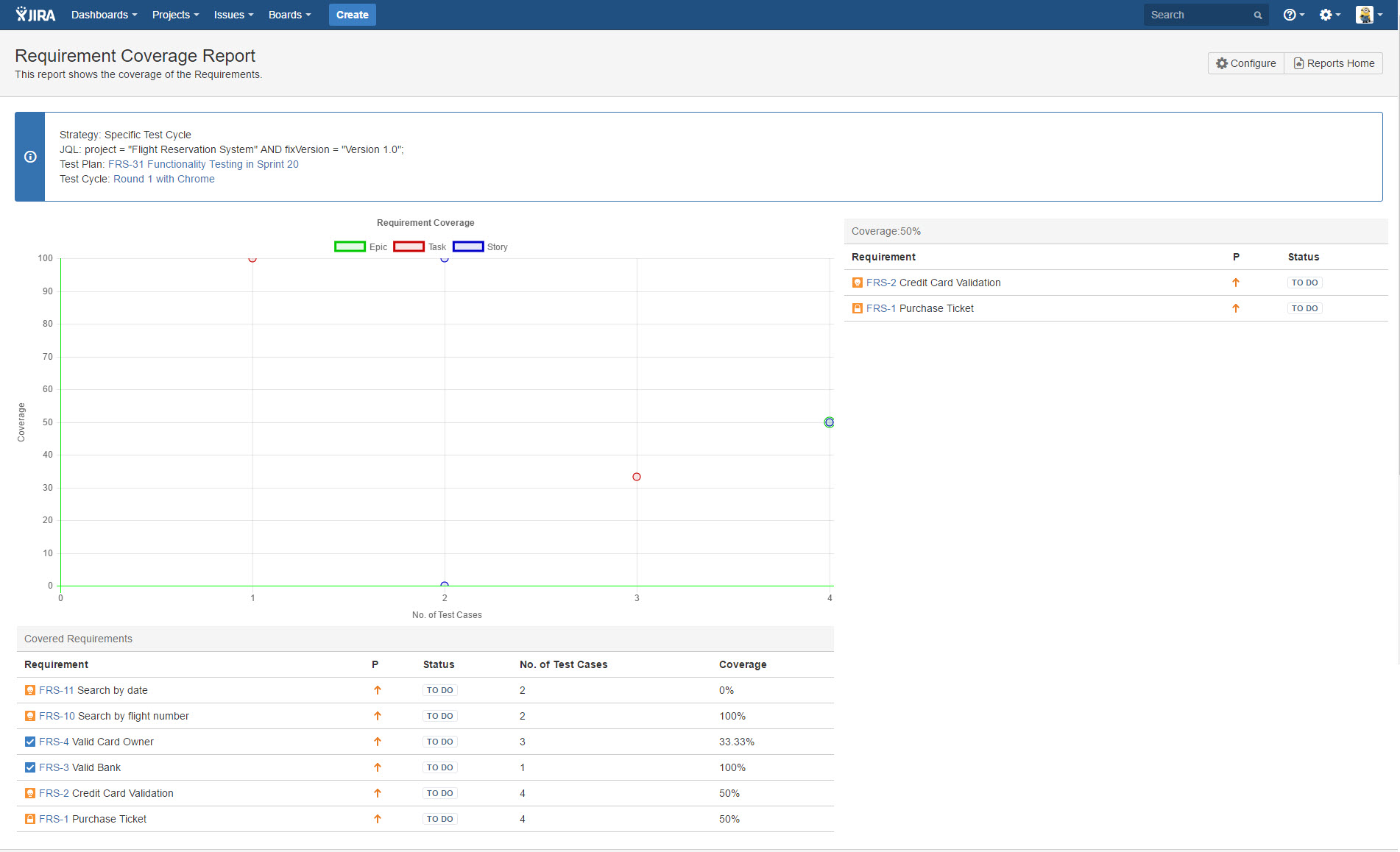
[スクリーンショット - UG0067_Requirement Coverage Report_Result]