
-
Select multiple child requirements by checking check boxes.
-
Click Gear(icon)->Delete from top right corner of page.
-
Click the "Confirm" button in the pop-up confirmation message.
Note: It is not allowed to remove a requirement with child requirements associated. You are allowed to remove it only after all its child requirements are cleaned up.
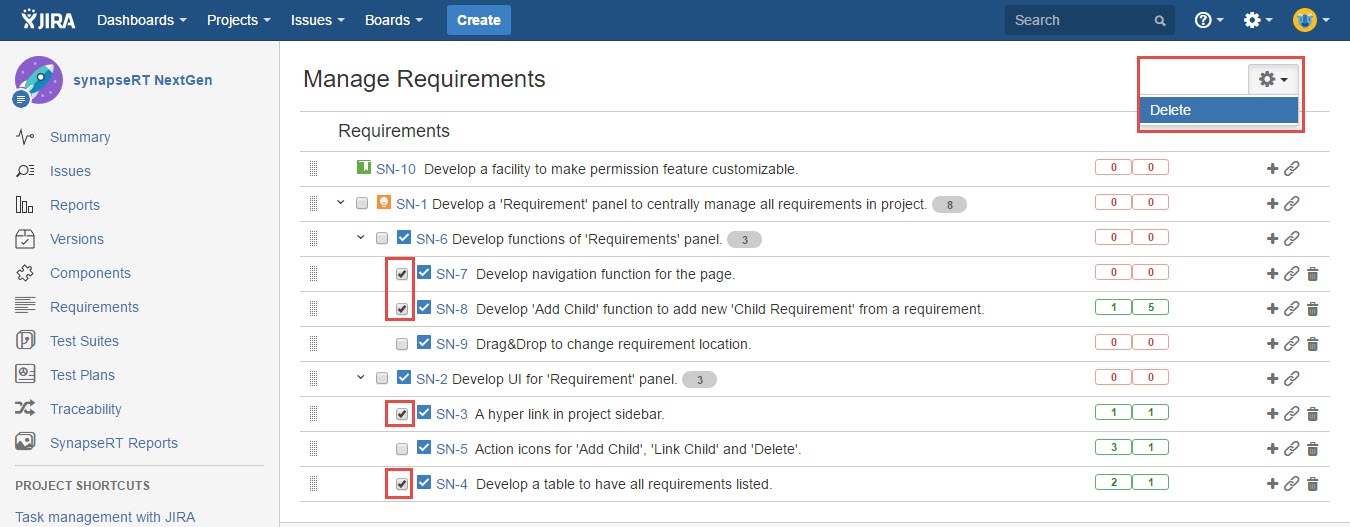
[Screenshot - UG82_Requirements_Panel_0006]