
You can either export a single Test Case with synapseRT fields or export them multiply from the JIRA search.
Export a single Test Case with synapseRT fields:
-
Open a "Test Case" issue.
-
Click "Export" button to expand the list.
-
Click any of below to export the Test Case with synapseRT field:
- XML with Synapse Fields.
- Word with Synapse Fields.
- Printable with Synapse Fields.
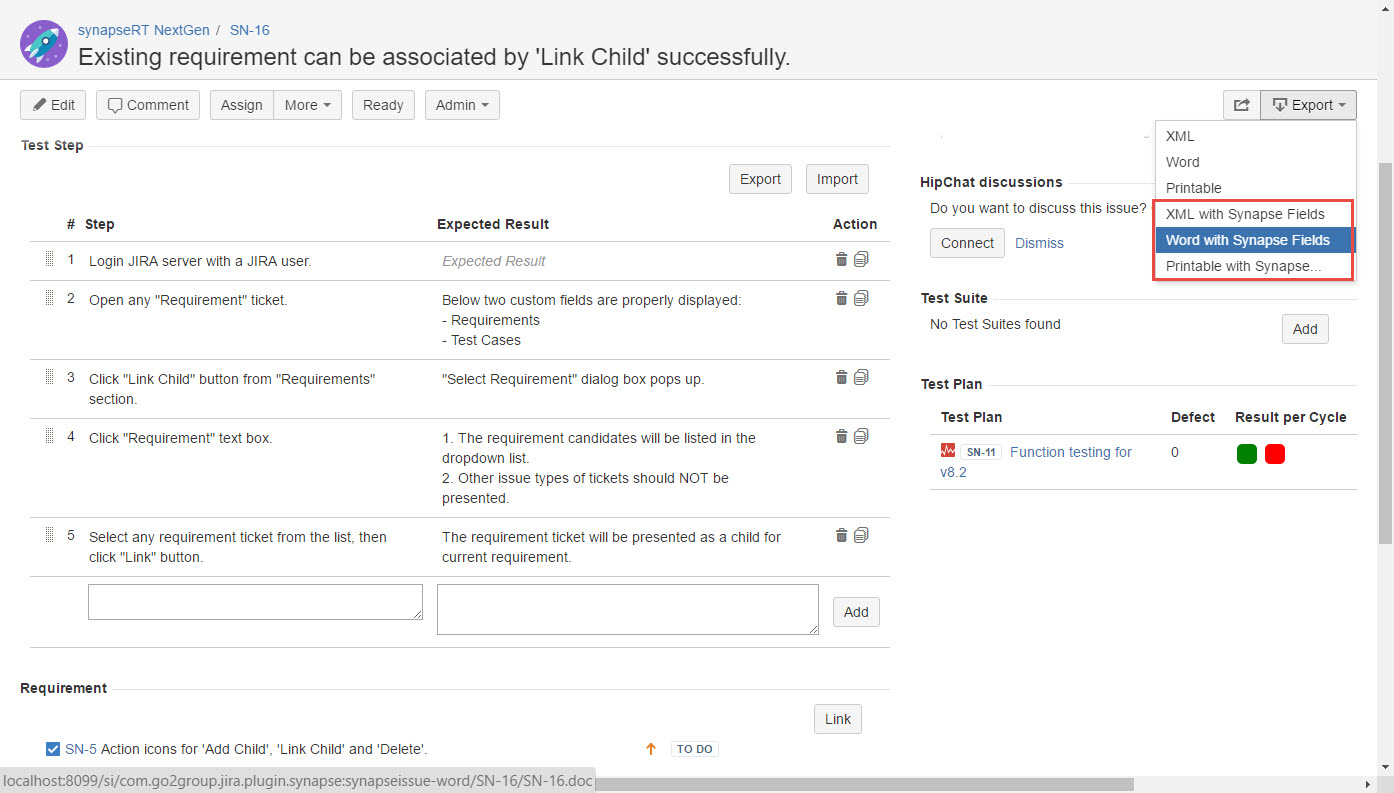
[Screenshot - UG0028A_Test_Case_Export_01]
Export multiple Test Cases from a JIRA search:
-
Use JQL to search Test Cases those need to be exported.
-
Click "Export" button to expand the list.
-
Click any of below to export the Test Cases with synapseRT field:
- Excel (All fields)
- Excel (Current fields)
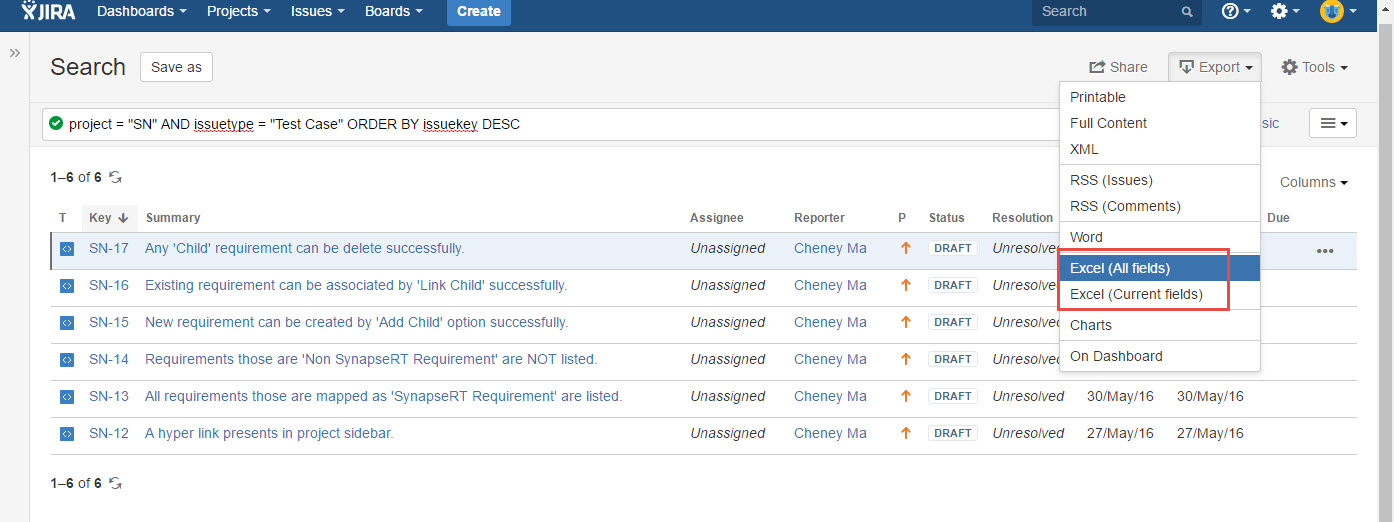
[Screenshot - UG0028A_Test_Case_Export_02]