
You can resume a Test Cycle that is in "ABORTED" and "COMPLETED" status.
-
Launch a Test Plan issue
-
Click the "Gear" icon from a Test Cycle in "ABORTED" for "COMPLETED" status
-
Click "Resume" from "WORKFLOW"
-
Once the Test Cycle has been resumed, its status will change to "ACTIVE"
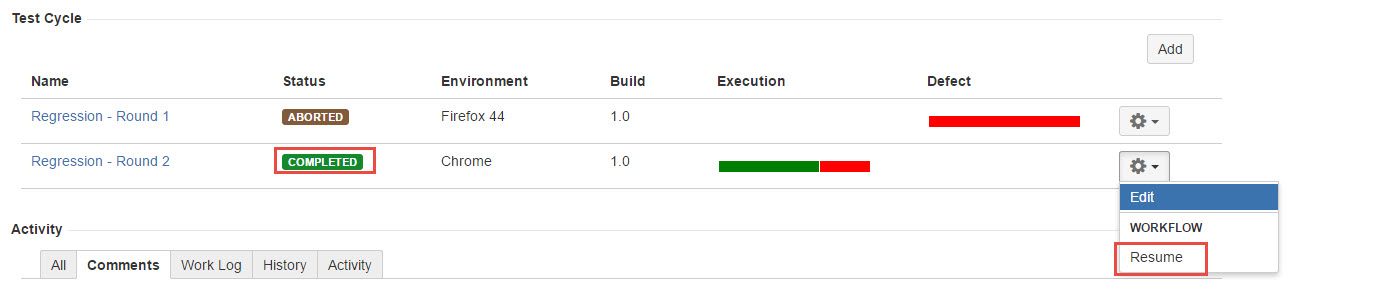
[Screenshot - UG_TM02_Test_Cycle_Resume]