
You can also break the link between Requirements and Test Cases by following these steps:
-
Launch a Requirement issue
-
Find the Test Case that's link needs to be broken
-
Click the "Delete" icon
-
Click the "Ok" button that pops up for confirmation
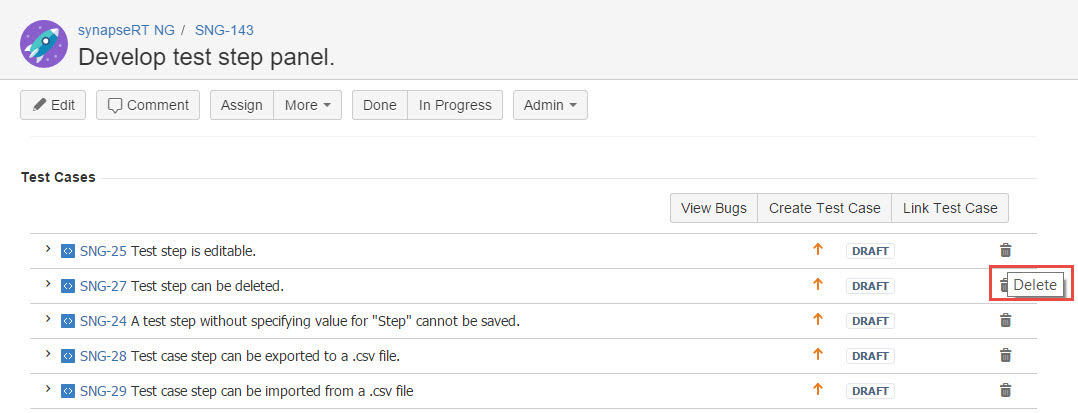
[Screenshot - UG0013_Requirement_issue_Delete_Test_Case]