
You can import test cases from .csv file.
Points to remember while importing Test Cases:
-
Summary or Key is mandatory to start Import.
-
Appropriate date format is required when processing with date fields.
-
Step ID is mandatory when a step is provided.
-
Providing ISSUE KEY will update the corresponding issue, if found.
To import test cases from .csv file, follow these steps:
-
Click "Administration->Add-ons" from the main menu.
-
Click the "Test Case Import" link from the left panel under the "SYNAPSERT" section.
-
Choose a project from "Project" dropdown and click "Next" button.
-
Click "Choose Files" button, browse to your test case file (.csv format).
-
Click "Next" button.
-
Select the CSV fields to import, then set how you would like these converted to fields in JIRA.
-
Click "Import" button.
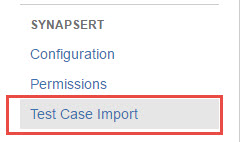
[Screenshot - UG_AD05_Test_Case_Import]
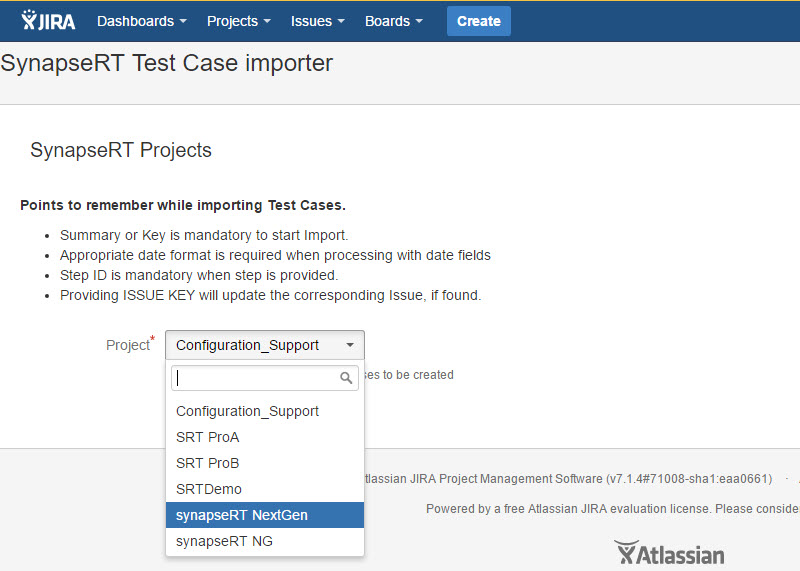
[Screenshot - UG_AD06_Test_Case_Import]
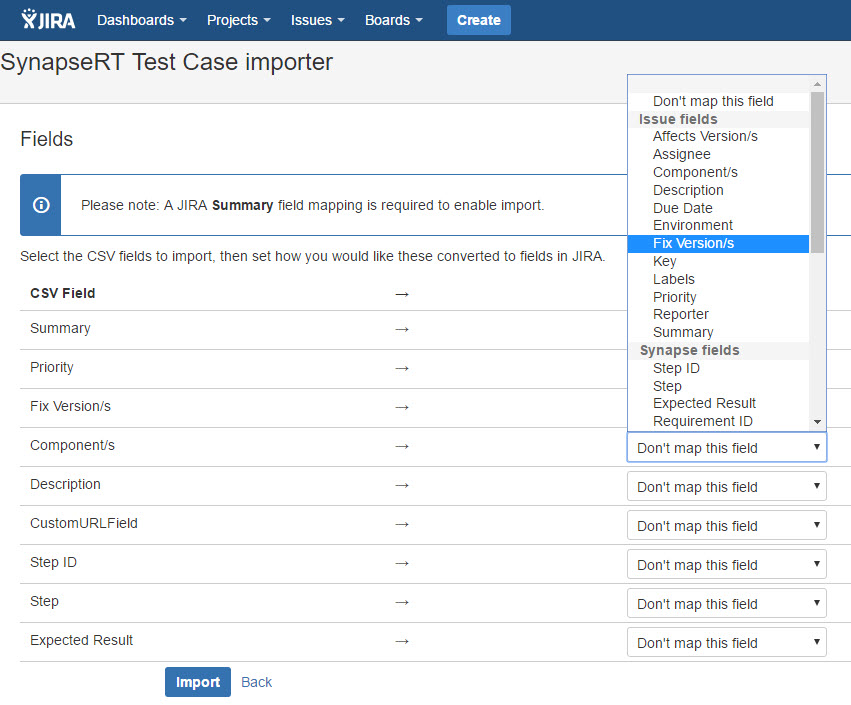
[Screenshot - UG_AD07_Test_Case_Import]
You can find test case import sample file from the link: Test_Case_Import_Sample_File_for_v8.2.csv