
You can add a Test Case to any Test Suite from Test Case issue by following these steps:
-
Open a Test Case issue
-
Click the "Add" button from the Test Suite section
-
Select a Test Suite from the "Add Test Suite" dialog box
-
Click the "Add" button
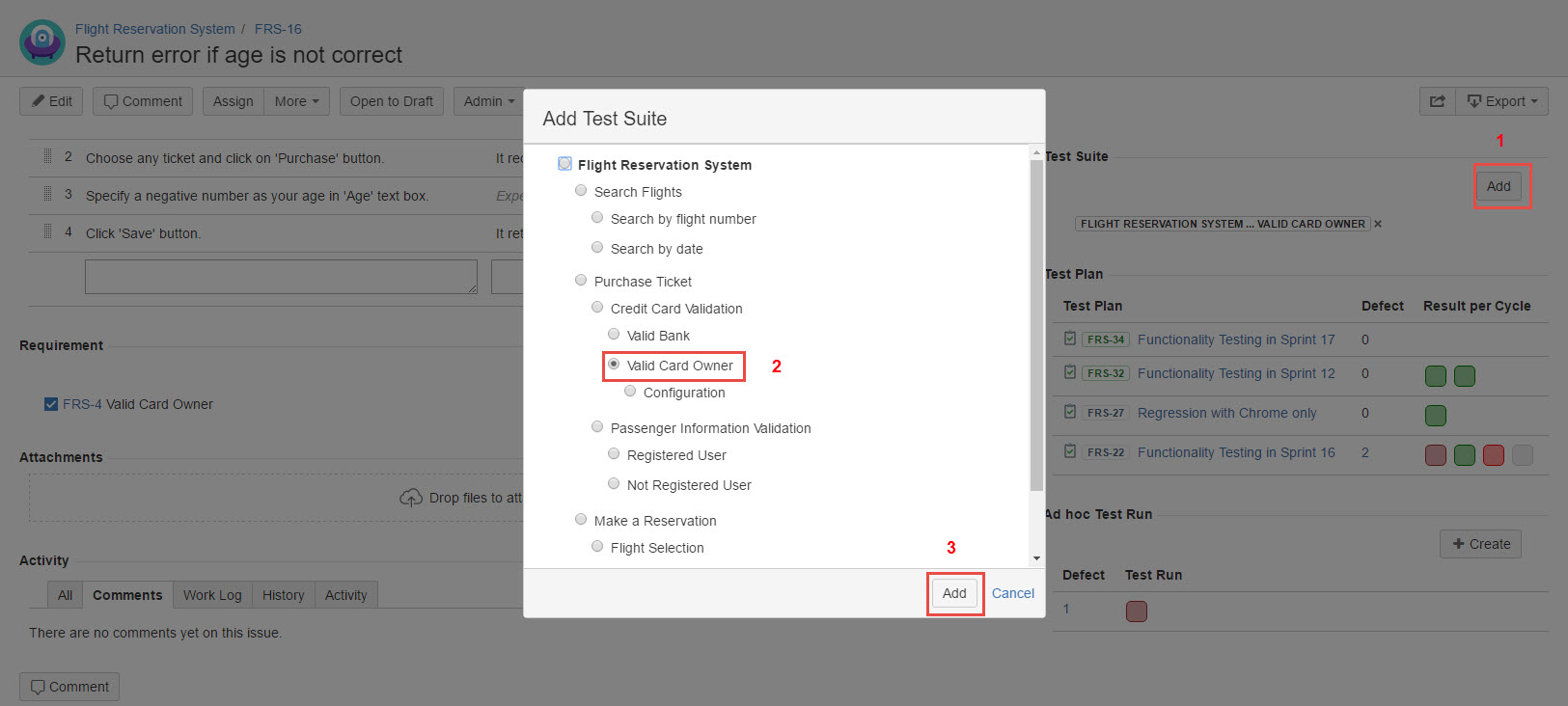
[Screenshot - UG0026_Test_Case_issue_Add_Test_Suite]