
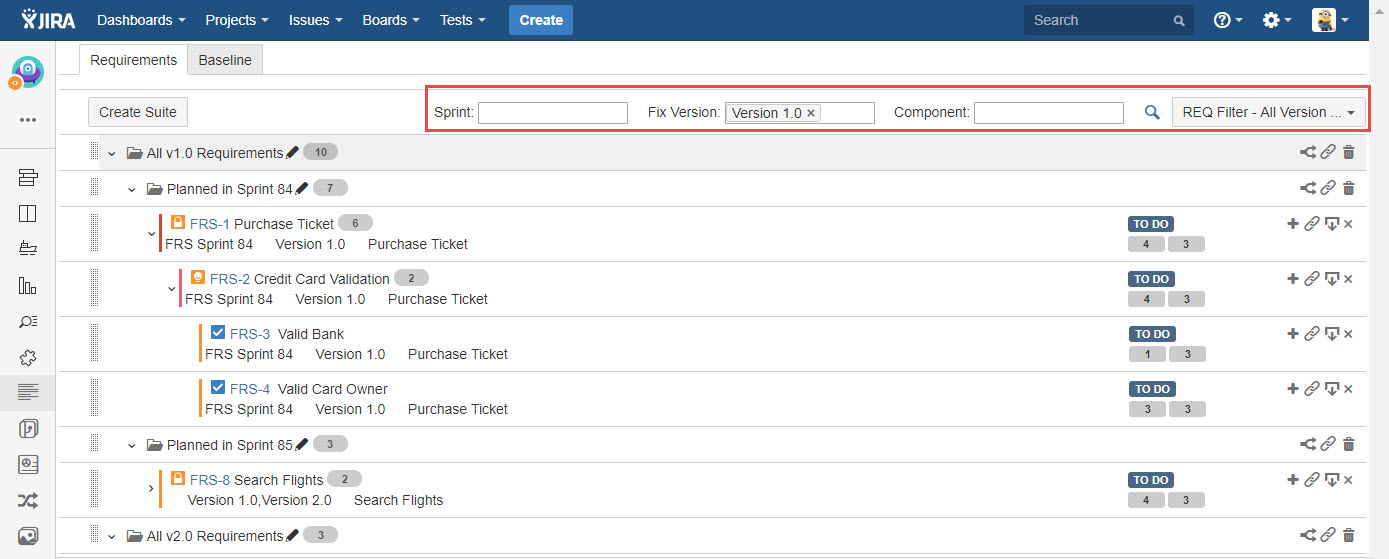
You are able to search requirements with three filter options: Sprint, Fix Version and Component.
-
Specify values for any of below three options:
- Sprint
- Fix Version
- Component -
Click "Search" icon.
-
You can save your "Search" as a filter, so that next time you can simply select the filter and find the Requirements you want to view, to do this, following below steps:
1) Complete above step 1 & 2
2) Click "Filters" dropdown and click "Save as" from the list.
3) Specify a name and save it.
You can save your selections as an "Filter" to reuse it in the future.
[Screenshot - UG90_Requirement_Suite_18]