
You can either update Test Case Run Result individually or use "Bulk Operation" to update result on multiple selected test cases.
Update Test Case Run Result one by one:
-
Launch a Test Cycle
-
Click the "Pencil" icon from the "Result" column
-
Select a result from the dropdown list
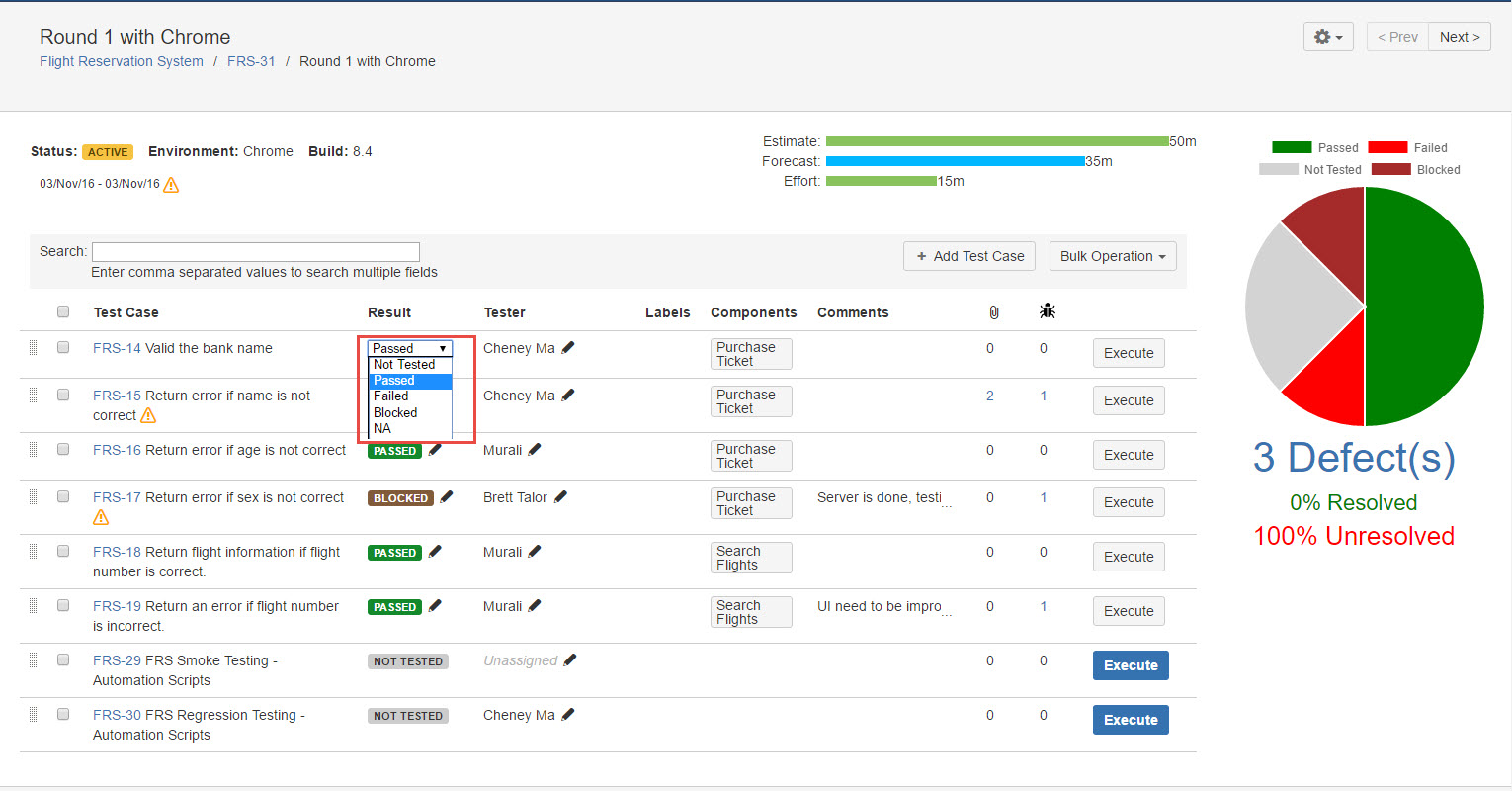
[Screenshot - UG0053_Test_Cycle_Test_Run_Result]
Update Test Case Run Result by 'Bulk Operation':
Note: You can select multiple items by using combination key 'Shift + Left Click'
-
Launch a Test Cycle
-
Select multiple test cases by checking checkboxes from Test Case Run list
-
Click "Bulk Operation" button
-
Select a result from the list, a dialog "Update Test Runs" will pop up to let user fill below addition execution information:
-
Defect(s): either create a new defect or select any exiting defect/s
-
Attachment(s): upload execute artifacts
-
Comments: add any text comments
-
Also update step result?: select to update all step results
-
-
Click "Update" button, all Test Case Runs you selected will be updated to result you specified, along with above additional execution information.
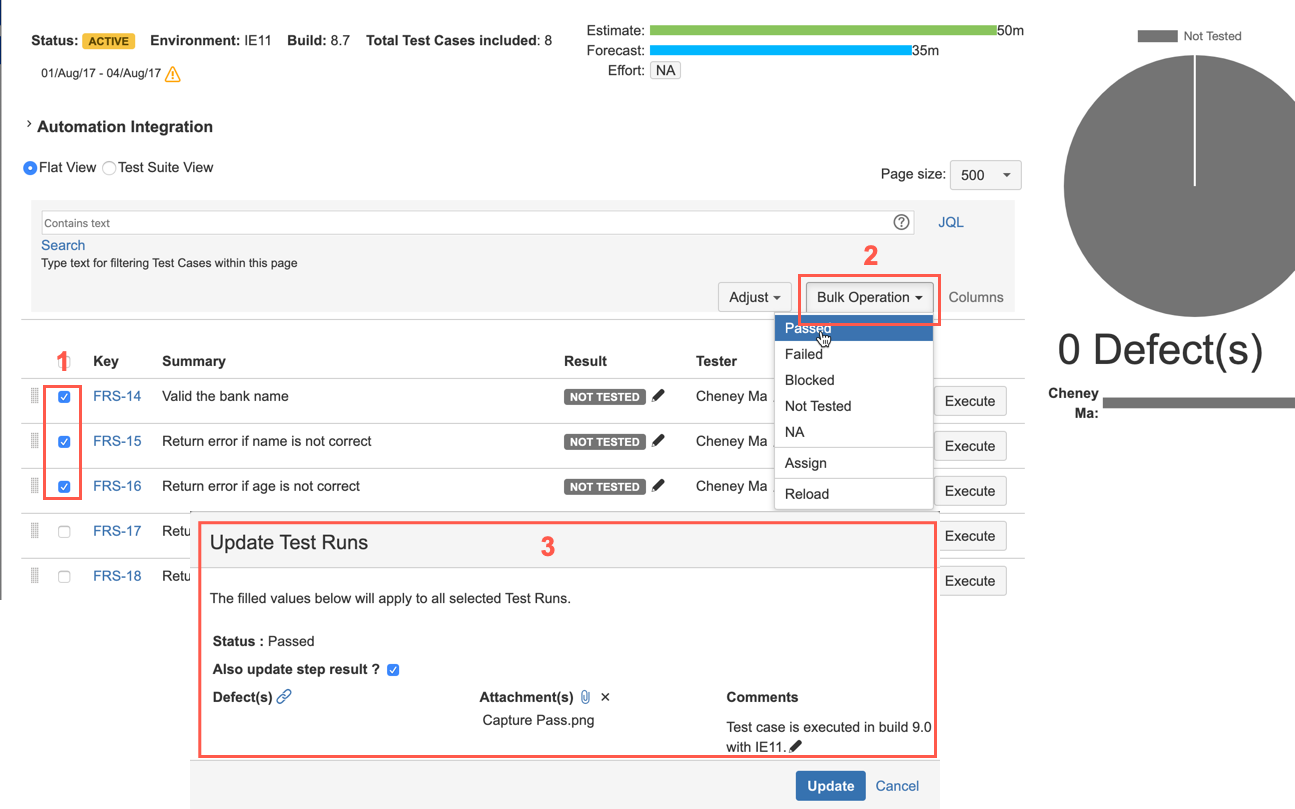
[Screenshot - UG0053A_Test_Cycle_Test_Run_Result]