
Before a test parameter can be used in any test case, the test parameter and its values must be defined. To define a test parameter, please following the below steps:
-
Navigate to the "Test Suites" panel from the "Project Overview" page
-
Switch to "Test Parameters" tab
-
Specify "Parameter Name" in the textbox and then click the "Add" button
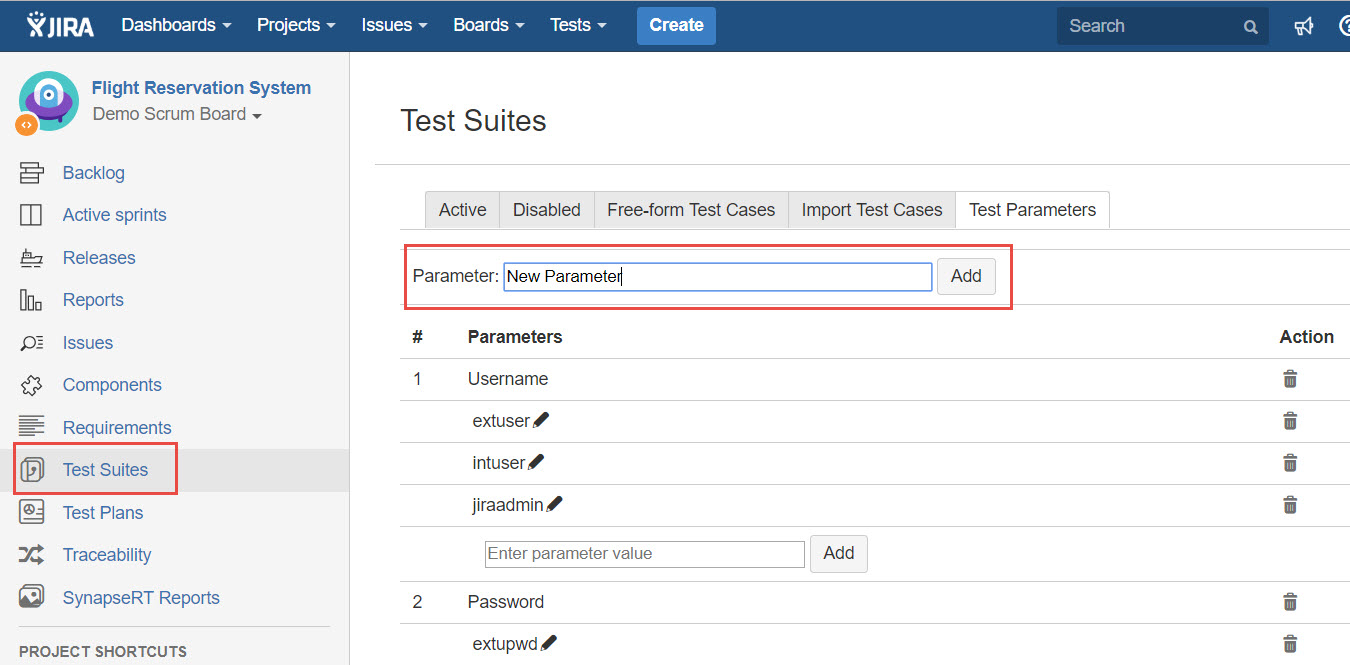
[Screenshot - v9.2_Test_Parameter_Define_Parameter]
Once a test parameter is defined, you can now create values for the test parameter:
-
Find the test parameter just created
-
Specify "Parameter Value" in the textbox and click the "Add" button
-
You can keep going to create multiple values for that particular test parameter
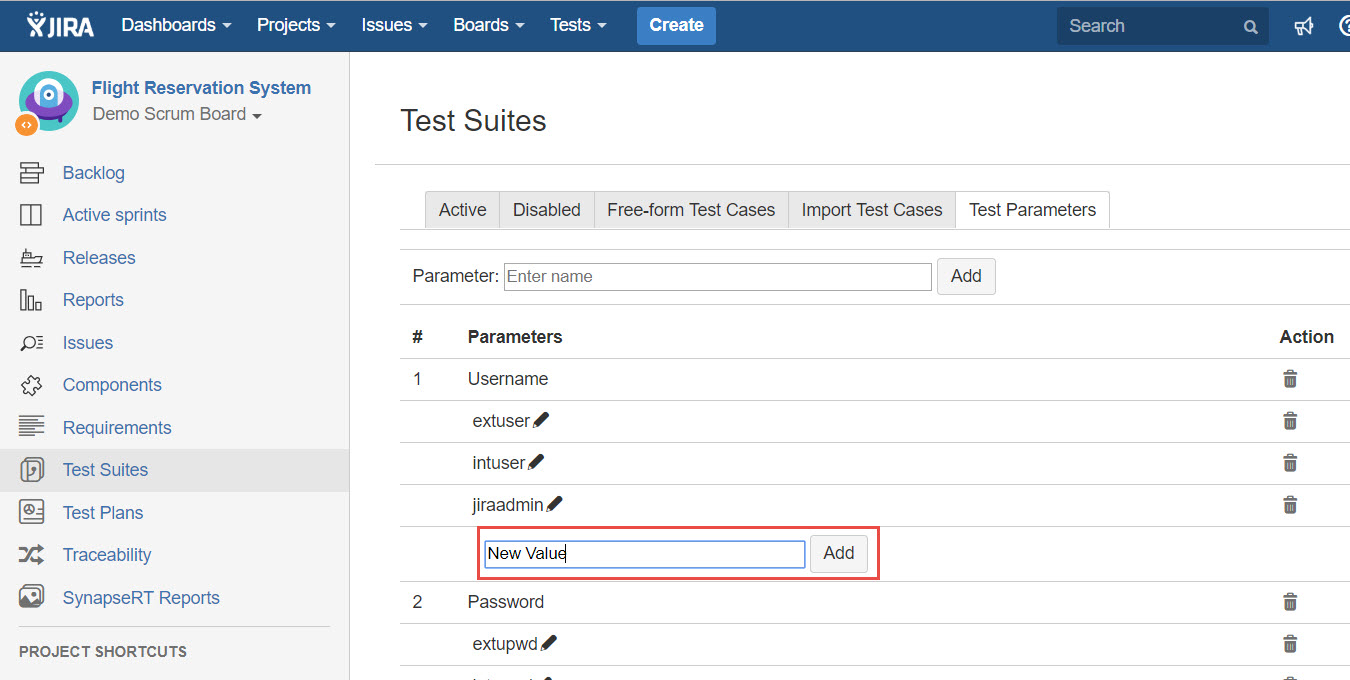
[Screenshot - v9.2_Test_Parameter_Create_ParameterValue]
Once the test parameter and its values are created, then the test parameter can be used in any test case.