
-
Launch a Test Plan issue.
-
Click the "Search & Remove" button from the Test Case section.
-
Specify proper JQL to query Test Cases those need to be removed in bulk.
-
Select the ones those need to be removed from search result.
-
Click "Remove" button.
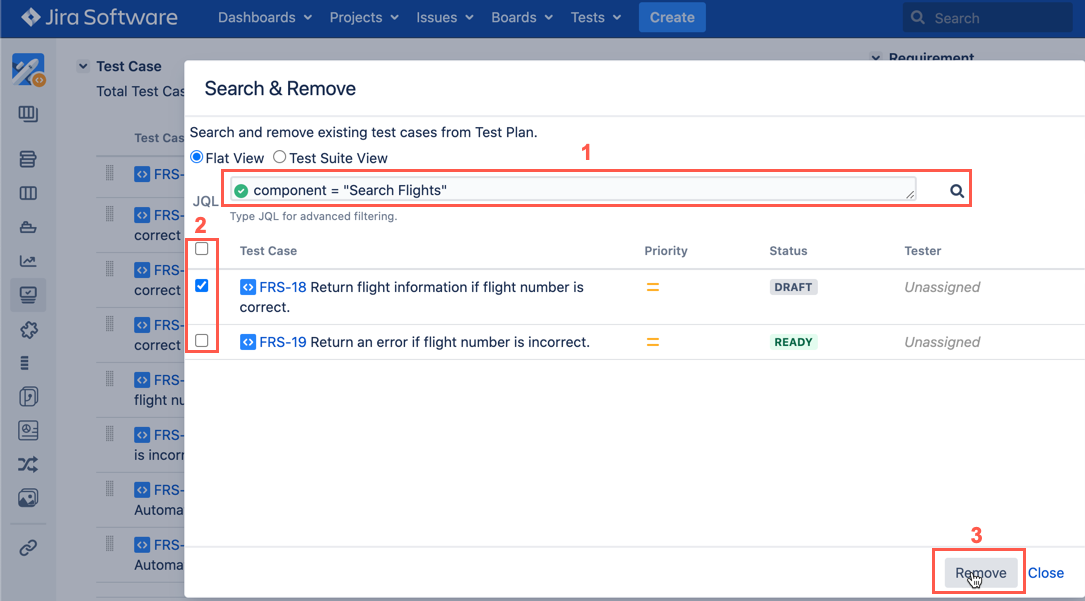
[Screenshot - v99_Test_Plan_Search&Remove_Test_Case]