
-
Click the "Edit" button from a Test Suite
-
Click the "Link Test Case" icon from any Test Suite in the tree structure
-
Select Test Cases from the "Select Test Case" dialog box
Note: If you have a large amount of Test Cases that need to be added to a Test Suite, we suggest you use the "Advanced Search" function to select them in multiple.
4. The linked Test Cases will be listed in the Test Suite
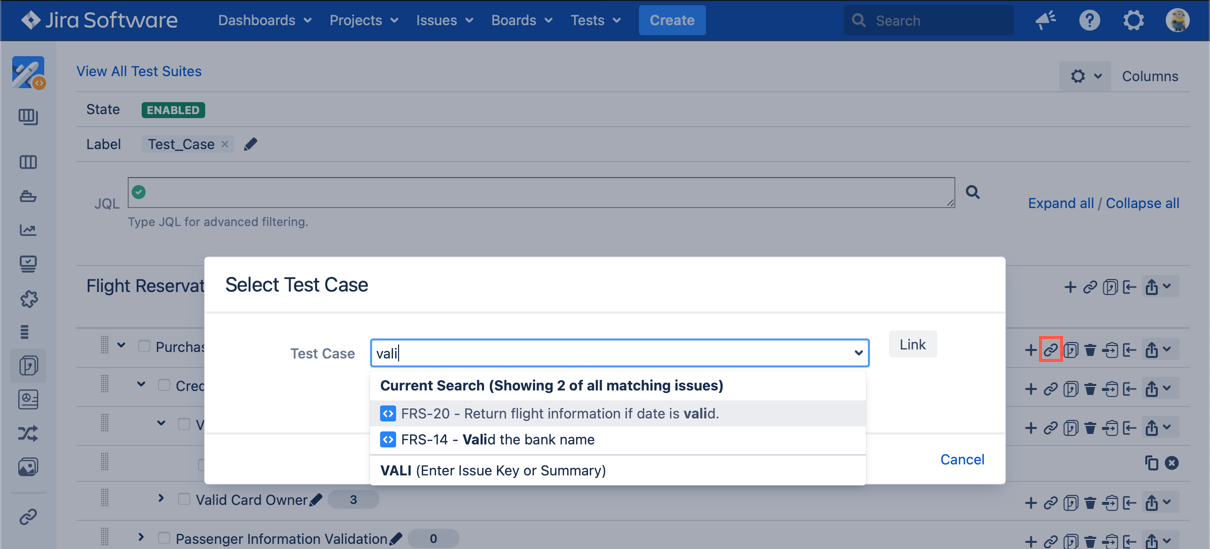
[Screenshot - UG0036_Test_Suite_Panel_Link_Test_Case]