
You are allowed to export requirements from "Requirements" page, requirement hierarchy and its associated test cases can also be exported.
-
User can configure which fields are going to be exported, please follow My Settings
-
The following three formats are supported: .csv, .doc and .pdf
Export a set of requirements
-
Filter a set of requirements by "Basic Search" or "JQL Search"
-
Click "Export" button, from the dropdown, select either Word, CSV or PDF
-
Specify the file path and click "Save" button
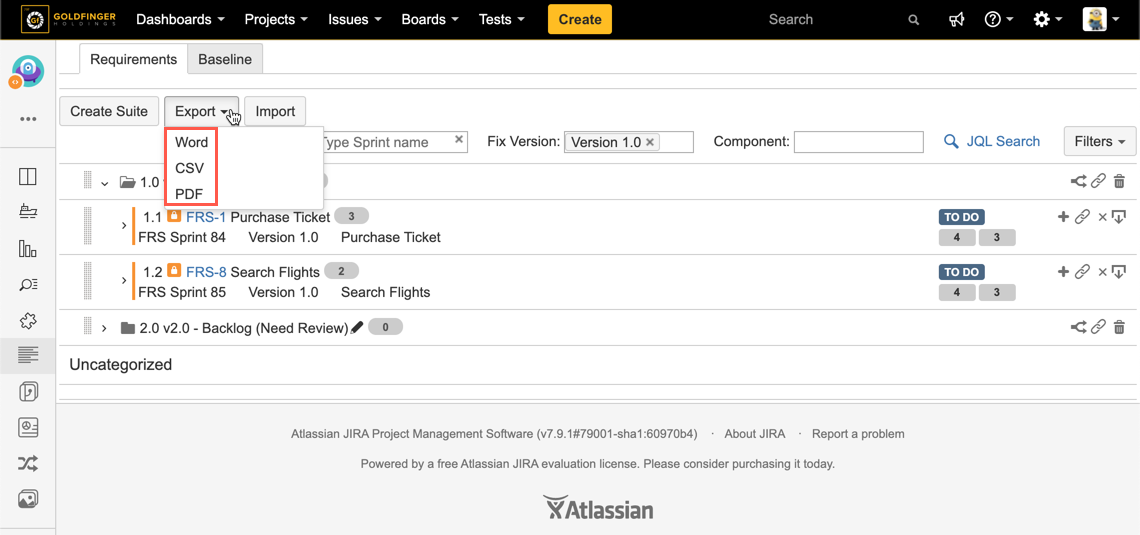
[Screenshot - Requirement_Suite_Export_1]
Export a requirement with its child requirements
-
Expand any requirement suite to find the one you want to export
-
Click "Export" icon
-
Specify the file path and click "Save" button
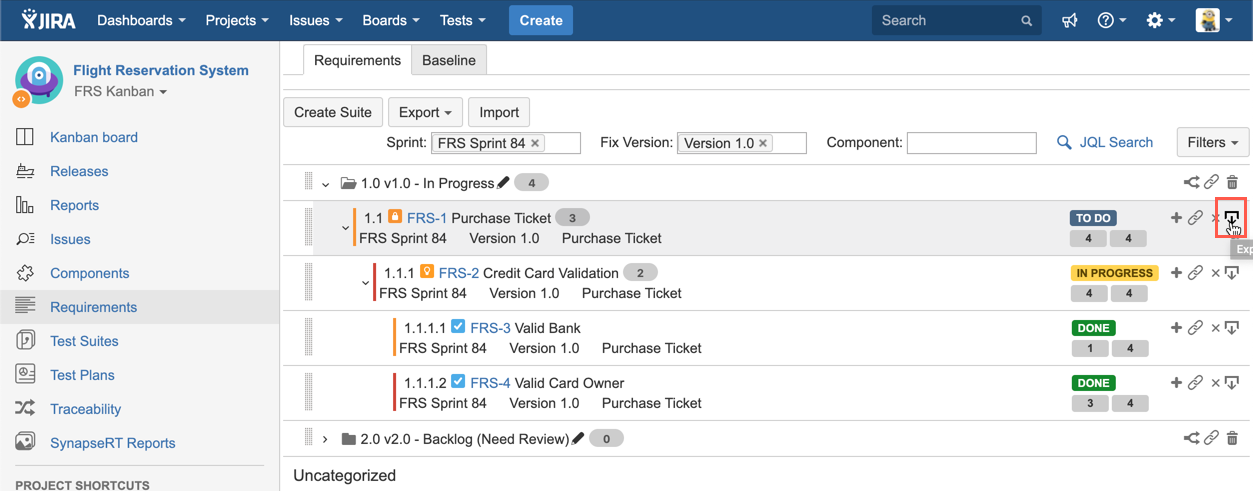
[Screenshot - Requirement_Suite_Export_2]
You are allowed to export requirements from "Requirements" page, requirement hierarchy and its associated test cases can also be exported.
-
User can configure which fields are going to be exported, please follow My Settings
-
The following three formats are supported: .csv, .doc and .pdf
Export a set of requirements
-
Filter a set of requirements by "Basic Search" or "JQL Search"
-
Click "Export" button, from the dropdown, select either Word, CSV or PDF
-
Specify the file path and click "Save" button
[Screenshot - Requirement_Suite_Export_1]
Export a requirement with its child requirements
-
Expand any requirement suite to find the one you want to export
-
Click "Export" icon
-
Specify the file path and click "Save" button
[Screenshot - Requirement_Suite_Export_2]