
The user can move a Requirement in/out from any Requirement Suite in the list by drag & drop or with "Link" option from Requirement Suite.
Note:
-
It is only allowed to move a top level of Requirement to a Requirement Suite.
-
All its child requirement associations will be moved together.
To move Requirement/s to a new location by drag & drop, following the below steps:
-
Find the Requirement (top level) that you want to move
-
Drag it and then drop it to target Requirement Suite
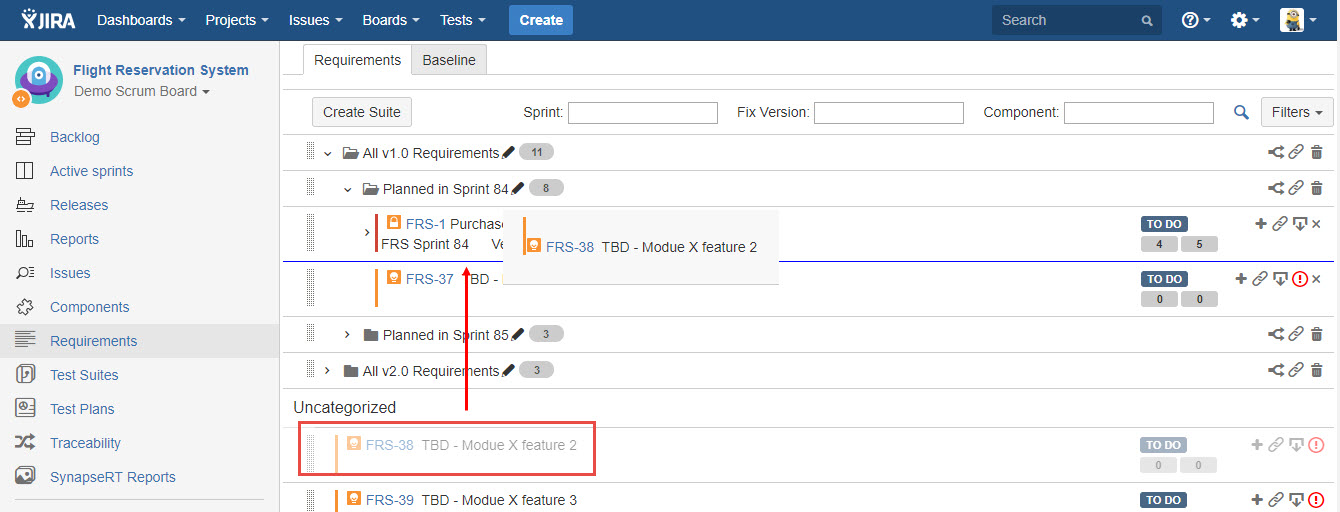
[Screenshot - UG90_Requirement_Suite_7]
To move Requirement/s to a new location by "Link" option, following the below steps:
-
Find the target Requirement Suite to which you want to move Requirement/s to
-
Click "Link a Requirement as member" icon
-
Find Requirement/s you want to move and then click "Link" button
Note:
-
You can find multiple Requirements (top level) to move with "Link" option.
-
Switch to "Advanced Search" if JQL is required to find Requirements.
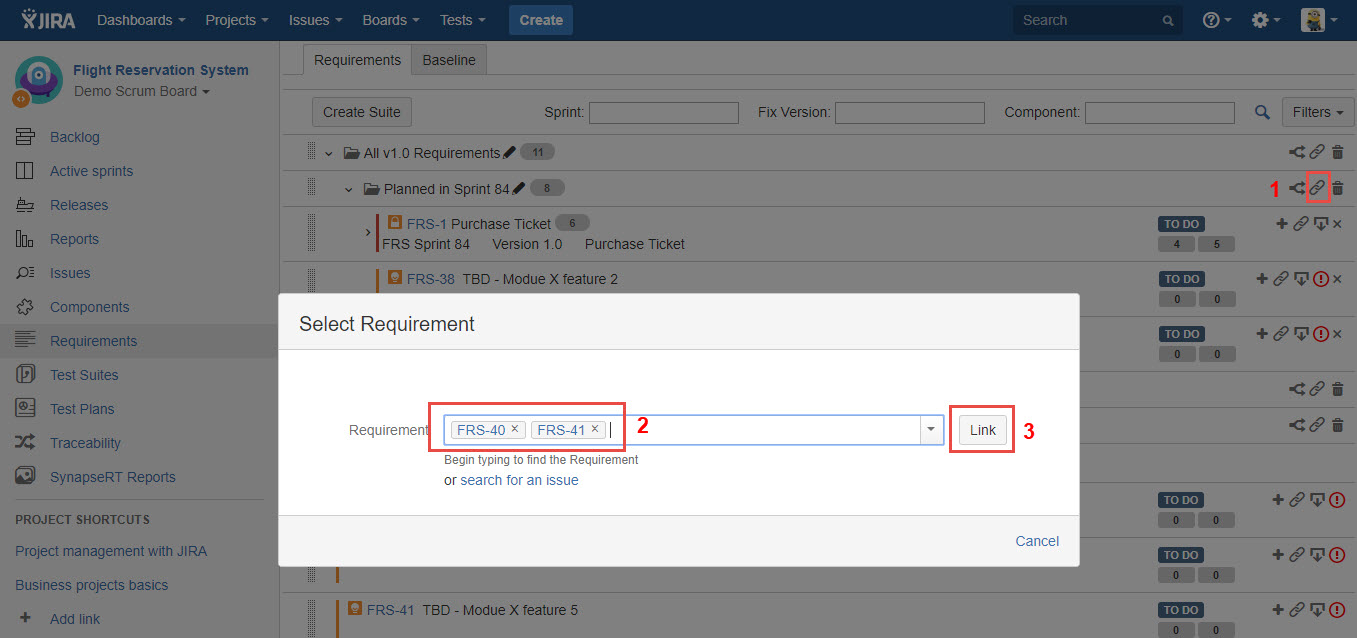
[Screenshot - UG90_Requirement_Suite_8]